Navigating the world of PC gaming hardware can feel like a boss battle especially when you are balancing a full life with your passion for gaming. For many US gamers averaging 36 years old who regularly spend 10 plus hours a week diving into their favorite titles whether for relaxation skill-building or social play optimizing performance without overspending is key. This comprehensive guide cuts through the hype to provide clear actionable answers on how much RAM you truly need for a gaming PC in 2026. We will tackle common pain points like performance bottlenecks budget constraints and future-proofing your rig ensuring you get the best value for your hard-earned cash. Understand the sweet spot for memory capacity speed and type so you can enjoy seamless gameplay and efficient multitasking without unnecessary upgrades. Discover expert insights tailored for busy gamers who value performance and smart investments in their gaming journey. This month's trends continue to highlight the importance of efficient hardware for titles ranging from AAA blockbusters to popular social and cozy games.
Q: What is the ideal RAM capacity for most modern gaming PCs in 2026?
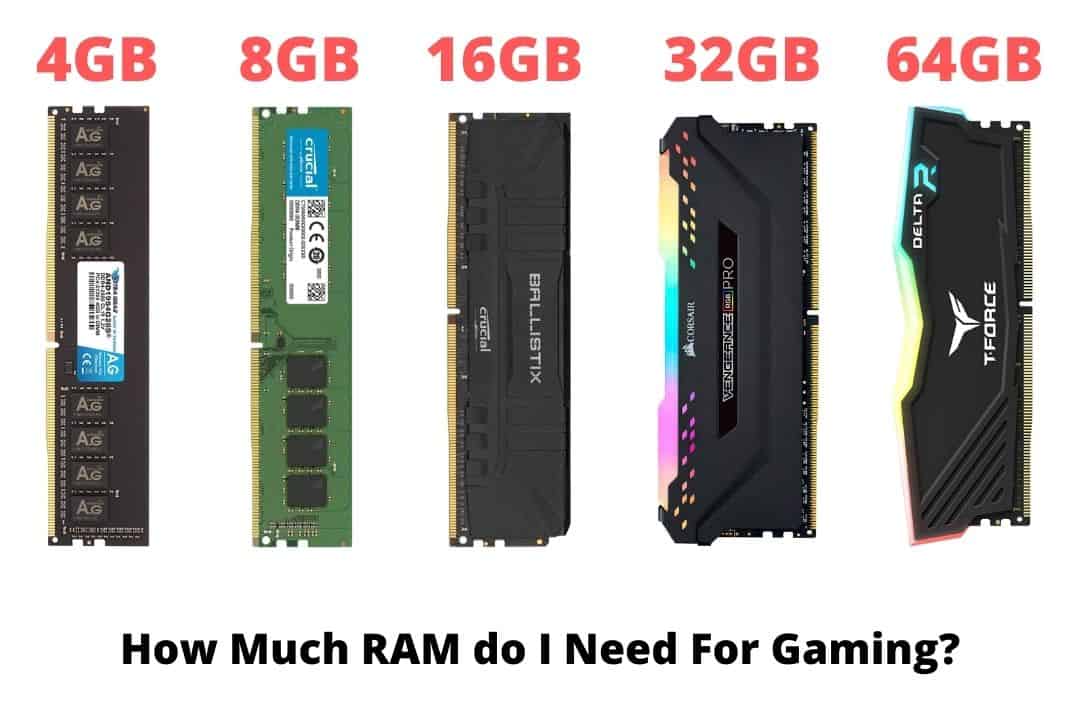
A: The ideal RAM capacity for the vast majority of modern gaming PCs in 2026 is 16GB. This amount provides ample headroom for current AAA titles and allows for smooth multitasking, like having Discord and a browser open. It offers the best balance of performance and cost-effectiveness for the average gamer looking to enjoy a fluid experience without overspending.
Q: How does RAM speed impact my gaming experience?
A: RAM speed, measured in MHz, significantly impacts gaming performance by allowing the CPU to access game data faster. Faster RAM, especially when paired with CPUs like AMD Ryzen, can lead to higher frame rates, smoother gameplay, and reduced micro-stutters. For DDR4, aim for 3200-3600MHz, and for DDR5, look for 5200MHz or higher for optimal results.
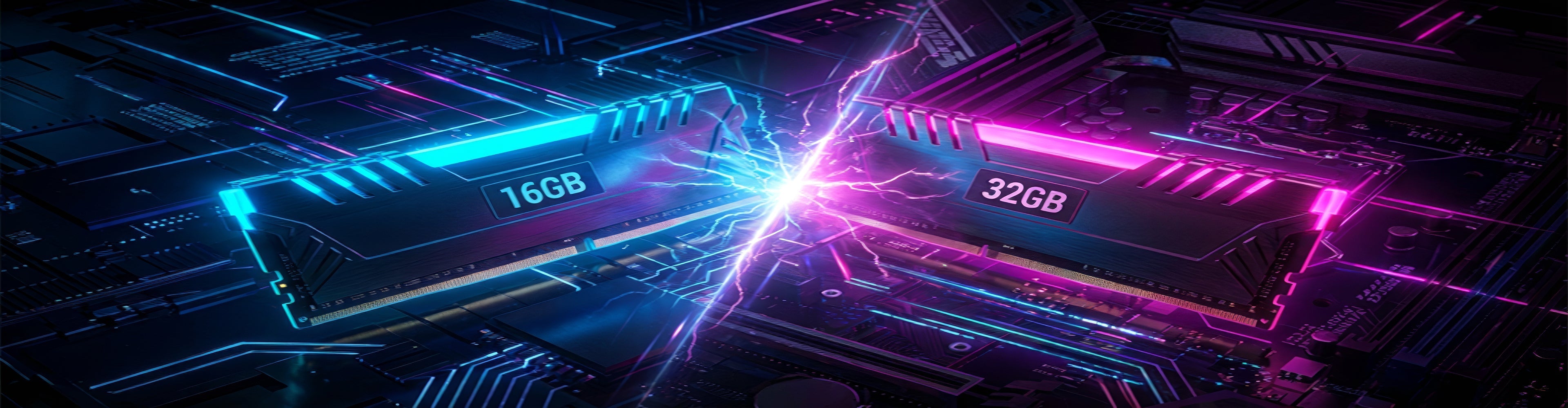
Q: Should I get 32GB of RAM for gaming, or is 16GB enough?
A: While 16GB is sufficient for most gaming scenarios, 32GB of RAM is beneficial for power users who multitask heavily, stream, engage in content creation alongside gaming, or play highly demanding simulation titles. It also future-proofs your system, ensuring you're ready for more memory-intensive games in the coming years. For pure gaming, 16GB is usually enough, but 32GB offers extra headroom.
Q: What is the difference between DDR4 and DDR5 RAM, and which is better for gaming in 2026?
A: DDR5 is the newer generation of RAM, offering higher speeds, increased bandwidth, and better power efficiency compared to DDR4. For new PC builds in 2026, DDR5 is generally better as it's becoming the standard for modern platforms, providing future-proofing and slightly better performance. However, upgrading from DDR4 to DDR5 requires a new motherboard and CPU, so it's not a direct upgrade for existing systems.
Q: Is it okay to use a single stick of RAM for gaming, or do I need two?
A: For gaming, it's highly recommended to use two sticks of RAM (e.g., 2x8GB or 2x16GB) rather than a single stick. This enables a dual-channel configuration, which effectively doubles the memory bandwidth your CPU can access. Running RAM in single-channel mode will significantly hinder performance and lead to lower frame rates, making dual-channel essential for optimal gaming.
Q: What RAM latency (CL) should I look for when buying gaming RAM?
A: When buying gaming RAM, a lower CAS Latency (CL) is generally better, as it indicates how quickly the RAM can respond to a request. For DDR4 RAM, CL16 or CL18 at 3200-3600MHz is considered excellent. For DDR5, given its higher speeds, you'll see higher CL numbers like CL30-CL40, but the overall speed often compensates. Aim for the lowest CL rating within your chosen speed tier and budget.
Q: How do I ensure my RAM is running at its advertised speed for gaming?
A: To ensure your RAM is running at its advertised speed, you must enable the Extreme Memory Profile (XMP for Intel) or DOCP (for AMD) in your motherboard's BIOS/UEFI settings. RAM typically defaults to a slower speed out of the box. Enabling this profile allows your motherboard to automatically configure your RAM to its optimal speed and timings, unlocking its full performance potential for gaming.
Hey fellow gamers. If you are anything like me you probably love unwinding with a solid gaming session after a long day balancing work family and life. We are talking about the majority of us US gamers 87 percent playing regularly often for 10 plus hours a week. Whether it is chasing wins in a fast-paced shooter building empires in a strategy game or just chilling with friends in a social co-op title our gaming rig needs to keep up. But let's be real the constant tech upgrades and jargon can be a headache especially when you are trying to make smart budget-friendly choices. One of the most common questions swirling around is How much RAM do I really need for a gaming PC and what is the best way to get it without breaking the bank.
You are not alone in wondering about this. As of this month gaming trends show a continuous push for more immersive experiences across PC and mobile platforms with social gaming and cross-play becoming ever more popular. This means your PC needs to handle not just the game but also Discord streaming software or multiple browser tabs without a stutter. Getting the right amount of RAM is critical for smooth performance preventing those frustrating frame drops and stutters that can ruin an epic moment. This guide is built to cut through the noise giving you clear actionable advice like a friend who has already done the research. We will cover everything you need to know about how much RAM for a gaming PC in 2026 from the basics to advanced considerations ensuring your setup delivers maximum fun and minimal fuss.
What Does RAM Do For My Gaming PC
RAM or Random Access Memory is essentially your computer's short-term memory. When you launch a game or open an application its essential data is loaded into RAM so your CPU and GPU can access it quickly. Think of it as your gaming PC's workbench; the more RAM you have the bigger the workbench meaning more applications and game assets can be held readily available. This direct access is significantly faster than pulling data from your storage drive SSD or HDD which is why sufficient RAM is crucial for smooth responsive gameplay.
<How Much RAM is the Bare Minimum for Gaming in 2026
While 8GB of RAM might technically run some older or less demanding games it is generally considered the absolute bare minimum for gaming in 2026. This capacity will often lead to performance bottlenecks especially with modern AAA titles or if you have other applications running in the background. Games like Cyberpunk 2077 or Alan Wake 2 will struggle significantly often resulting in stuttering long load times and an overall frustrating experience. For a truly enjoyable and functional gaming experience 8GB is no longer recommended as a primary choice for new builds.
Is 16GB RAM Enough for Gaming Today
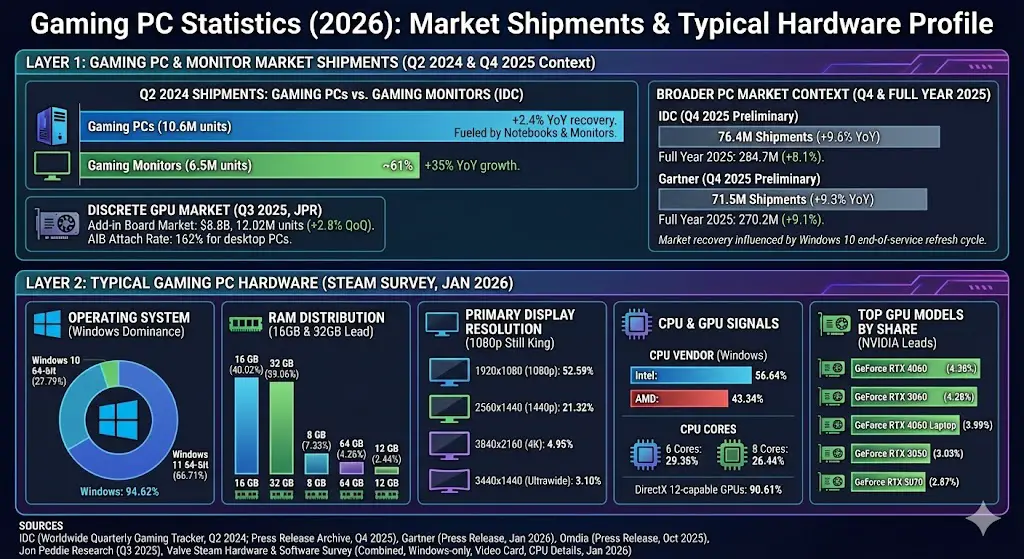
For the vast majority of US gamers 16GB of RAM remains the sweet spot and is perfectly sufficient for gaming in 2026. This capacity handles almost all current AAA titles comfortably allowing you to play at high settings without significant performance issues. It also provides enough headroom for common multitasking scenarios such as having Discord Spotify and a web browser open while you game. For gamers who prioritize value for money and solid performance without going overboard 16GB is the recommended baseline. It strikes an excellent balance between cost and capability making it the go-to choice for many.
When Should I Consider 32GB RAM for My Gaming PC
Upgrading to 32GB of RAM becomes beneficial in specific scenarios. If you are a serious multitasker who juggles gaming with content creation like video editing 3D rendering or heavy streaming 32GB will provide a noticeable performance boost. It is also highly recommended for players of incredibly demanding simulation games or those who run multiple virtual machines. Furthermore for gamers who want to future-proof their rig against upcoming titles with higher system requirements 32GB offers peace of mind. While not strictly necessary for most current games it eliminates any potential RAM-related bottlenecks and prepares your system for the next generation of software.
Does RAM Speed Matter for Gaming Performance
Absolutely RAM speed matters significantly. Faster RAM can lead to noticeable improvements in frame rates and overall system responsiveness particularly with CPUs that benefit from high memory bandwidth like AMD's Ryzen processors. RAM speed is measured in MHz and lower CAS Latency CL also plays a role. For DDR4 memory a speed of 3200MHz to 3600MHz with a CL16 or CL18 rating is ideal. With the newer DDR5 standard which is becoming increasingly common in 2026 gamers should look for speeds starting around 5200MHz and higher to get the most out of their systems. Pairing faster RAM with your CPU allows for quicker data processing leading to smoother gameplay and fewer micro-stutters.
What About Dual-Channel vs Single-Channel RAM
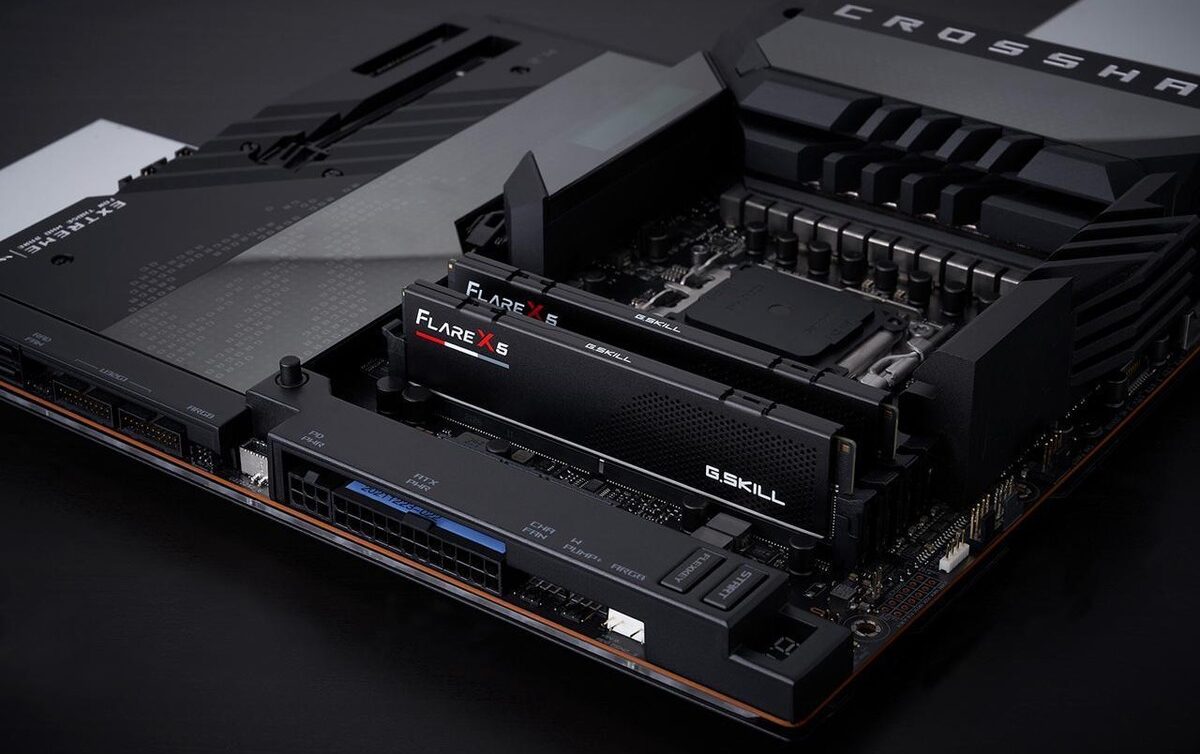
Running RAM in a dual-channel configuration is crucial for optimal gaming performance. This means installing two or four RAM sticks in specific slots on your motherboard allowing your CPU to access data simultaneously from both modules doubling the memory bandwidth. A single 16GB stick will perform significantly worse than two 8GB sticks even if the total capacity is the same because the CPU is limited to a single channel. Always aim for a dual-channel setup (e.g., 2x8GB or 2x16GB) when building or upgrading your gaming PC to ensure your system is performing at its best. Most modern motherboards are designed for dual-channel operation and usually indicate which slots to use for optimal configuration.
Is DDR5 RAM Worth the Upgrade for Gaming in 2026
DDR5 RAM is the latest generation of memory technology offering significant speed and bandwidth improvements over DDR4. For new PC builds in 2026 DDR5 is increasingly becoming the standard choice especially with newer CPUs and motherboards supporting it. While the initial performance gains over high-end DDR4 might not be revolutionary for *all* games the future-proofing aspect and the overall technological leap make it a worthwhile investment for new systems. For those with existing DDR4 setups an upgrade to DDR5 would require a new motherboard and CPU so it is not a cost-effective upgrade for everyone. However if you are building a brand-new high-performance gaming rig DDR5 is the way to go for longevity and peak performance.
How Do I Check My Current RAM and Upgrade It
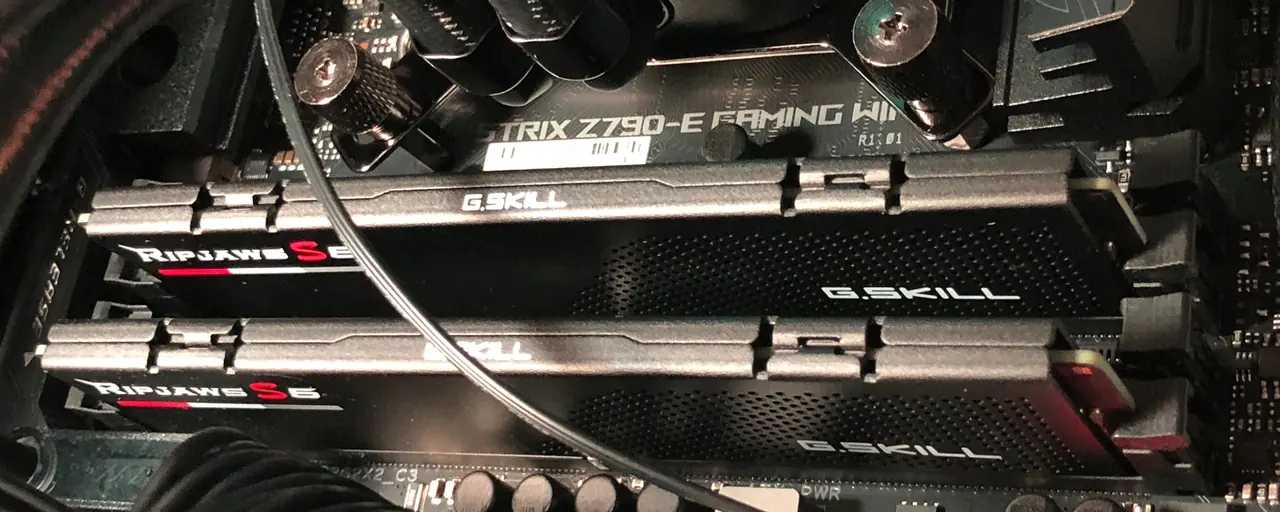
Checking your current RAM is straightforward. On Windows you can open Task Manager Ctrl Shift Esc go to the Performance tab and click on Memory. This will show you your RAM capacity speed and how many slots are in use. For upgrading first identify your motherboard's RAM type DDR4 or DDR5 and its maximum supported speed and capacity. Then purchase compatible RAM modules typically in a 2x8GB or 2x16GB kit. Installation is simple: power down your PC unplug it open the case locate the RAM slots unclip the old modules if any and gently push in the new ones until they click into place. Always ensure proper grounding to avoid static discharge.
Ultimately choosing the right amount of RAM for your gaming PC in 2026 boils down to balancing your gaming habits your budget and your future aspirations. For most gamers 16GB of fast DDR4 or DDR5 RAM in a dual-channel configuration will provide an excellent experience handling popular titles and common multitasking needs. If you are a power user streamer or content creator or simply want to maximize your system's longevity and performance 32GB is a smart investment. Remember it is not just about the raw number but also about speed and proper configuration.
We gamers value smart investments that enhance our relaxation and fun without constant headaches. Getting your RAM right is one of the easiest ways to ensure your PC is a smooth powerhouse ready for anything. What is your biggest gaming challenge when it comes to hardware upgrades? Comment below and let's help each other out.
FAQ
Q: Can too much RAM hurt performance?
A: No having too much RAM typically will not hurt performance. Your system will only use what it needs. However purchasing excessive RAM beyond 32GB for pure gaming purposes is usually a waste of money that could be better spent on other components like a better GPU or CPU.
Q: How important is RAM latency (CL) for gaming?
A: RAM latency or CAS Latency (CL) is how many clock cycles it takes for the RAM to respond to a request. Lower CL numbers are better. While not as impactful as raw speed a lower CL especially when paired with high speed RAM can provide marginal but noticeable improvements in certain games and applications.
Q: Should I mix different RAM sticks?
A: It is generally not recommended to mix RAM sticks of different brands speeds or capacities. While it might sometimes work it can lead to instability compatibility issues or your RAM running at the lowest common denominator speed. Always aim for matched kits for optimal stability and performance.
Q: What is XMP or DOCP and why should I enable it?
A: XMP Intel or DOCP AMD is a profile stored on your RAM modules that allows your motherboard to automatically configure the RAM to its advertised speed and timings. Out of the box RAM often runs at a slower default speed. Enabling XMP/DOCP in your BIOS ensures your RAM performs at its optimal and intended settings providing a significant performance boost.
Q: Is RAM easy to install for a beginner?
A: Yes installing RAM is one of the easiest hardware upgrades you can perform on a PC. It involves simply opening your PC case locating the RAM slots and gently clicking the modules into place. No special tools are required just a little care and attention to seating them correctly.
Q: How often should I upgrade my RAM?
A: RAM generally does not need to be upgraded as frequently as a GPU or CPU. If you start with 16GB it can last for several years. You might consider an upgrade if you notice your system consistently maxing out its RAM usage or if a new generation of games or applications significantly increases their memory requirements.
Optimal RAM for gaming is 16GB for most and 32GB for high-end or future-proof systems. DDR5 is the current standard for new builds offering faster speeds. Dual-channel configuration significantly boosts performance. RAM speed and latency are crucial for smooth gameplay. Upgrading RAM is one of the easiest ways to improve PC responsiveness.
35

Best Gaming PC Builds For 2026 Best Gaming PC Builds For 2026.webp. 10 Best Gaming Laptops Under 1500 In 2026 PCVenus How Much RAM Do I Need For Gaming . How Much For A PC Gaming Setup Cost Top 3 Gaming Laptops Of 2026 - The Ultimate Guide . How Much RAM For Gaming In 2026 8 GB 16 GB Or 32 GB Answered PC4Games Image. 8 Best Gaming PCs For 2026 Ultimate Buyer S Guide The Creators Dream Msi X 2026.webp


RAM For Gaming Guide 2026 How Much Do You Actually Need Switchblade How Much Ram For Gaming.webp. How Much RAM Do You Need For Gaming In 2026 LoadedRig How Much RAM Do You Need For Gaming In 2026 . How Much Does It Cost To Build A Gaming PC In 2026. How Much RAM For Gaming In 2026 8GB Vs 16GB Vs 32GB The Ultimate Guide How Much Ram For Gaming 768x429 . Best 1000 Gaming PC Build For 1440p 2026 LoadedRig Best 1000 Gaming Pc Build For 1440p


How Much RAM Do You Need For Gaming In 2026 CanIRun Gg Og Image . 8 Best Gaming PCs For 2026 Ultimate Buyer S Guide The Budget Gaming Pc 2026.webp. Top 10 Best Desktop Computers 2026 For Home Office And Work Lenovo Legion Tower 7i 2026 High Performance Desktop Computer With RGB Lighting Featured In. How Much RAM Do You Need In 2026 8GB Vs 16GB Vs 32GB 02651a. Check Out The Latest ROG Gaming Gear Revealed At CES 2026

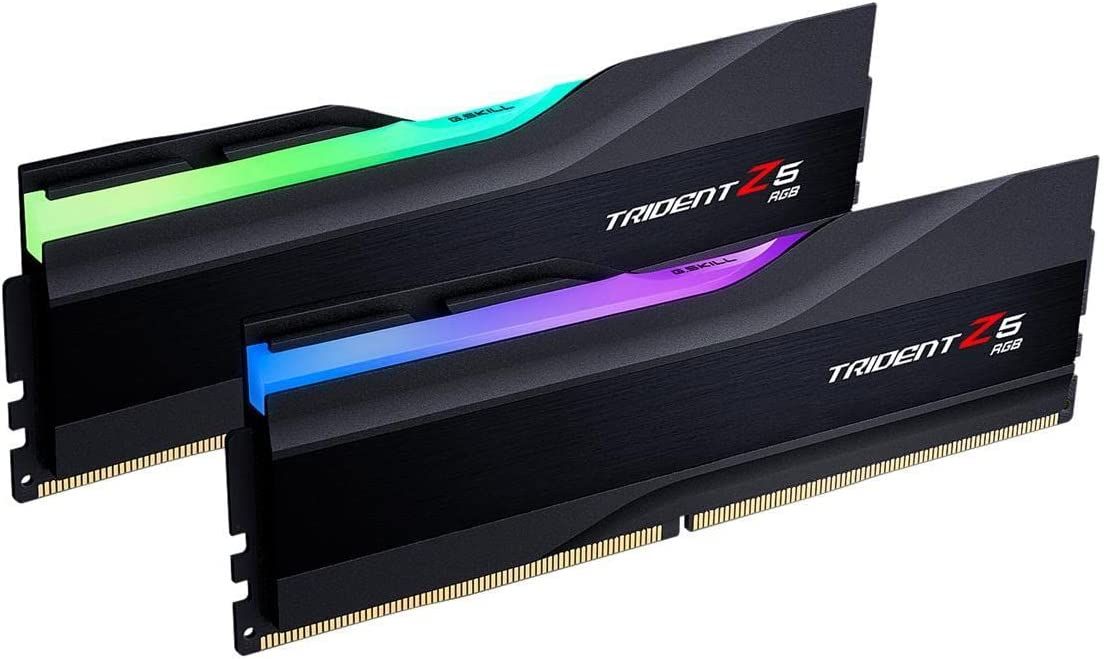

How Much RAM Do You Need For Gaming In 2026 AdobeStock 423480988 915x610 . How Much RAM Is Needed For Gaming In 2026 Full Benchmark Analysis Ddr5 Memory Price Increase Pc Demand.webp. How To Install RAM To Upgrade A Gaming PC G Skill Trident Z5 Rgb Series 32g X 2 Kit Cl32 . The Ultimate Gaming PC Build 2026 Guide By Xidax 1 Unnamed . How Much RAM Do You Actually Need For Gaming In 2026 Reforged Rigs 16GBvs32GB


How To Build Best Gaming PC 2026 Guide Sirius Power PC . RAM Reality Check How Much Memory Does Your PC Actually Need In 2026 11.fit Lim.size . Ram Nascar 2026 What Is Ram What Does It Do How Much Do You Need Ram 2 . How Much RAM Do You Need For Gaming 2026 How Much Memory For Gaming.webp. Le Migliori RAM Del 2026 TechRadar


The Best Gaming PC Of 2026 Top Prebuilt Desktops Gaming Pc . Best Laptops 2026 Top Picks For Every Budget Use Case Xthe Best Laptops 2026 Top Picks For Every Budget Use Case 750x350 . Want To Play PC Games What Should You Consider GAMES IN 2026 . Best RAM For Gaming In 2024 . How Much RAM Do You Need For Gaming 2025 Answer How Much Does RAM Affect Gaming

How Much RAM Should My Gaming Laptop Be Using Robots Net How Much Ram Should A Gaming Laptop Have 1700476200 . How Much RAM Do You Really Need For Gaming PC Gamer 650 80 . Gaming PC Statistics 2026 PCPartsGeek Gaming Pc Statistics . How Much Does It Cost To Build A Gaming PC In 2026 Full Budget Guide Low Cost PC For Gaming . 8 Best Gaming PCs For 2026 Ultimate Buyer S Guide Best Gaming Pc 2026 The Neuralcore X.webp