Unlock the power of effective in-game communication with the Roblox announcement command. This comprehensive guide helps busy game developers and administrators understand how to leverage these powerful tools to engage their player base, disseminate crucial updates, and manage their communities efficiently. Discover the syntax, best practices, and troubleshooting tips for implementing server-wide announcements, event notifications, and urgent messages. For the average adult gamer balancing work and play, optimizing communication means a better, more organized game experience. Learn how announcement commands can reduce player confusion, enhance event participation, and create a more vibrant, connected Roblox environment, saving you valuable time while boosting your game's appeal and player retention on the platform.
What is the primary function of the announcement command in Roblox?
The primary function of the announcement command in Roblox is to allow game administrators or developers to broadcast server-wide messages directly to all players currently present in a game server. This is essential for communicating important updates, event details, or general information efficiently, ensuring every player receives critical notices without needing to monitor external platforms.
How do I set up my game to use Roblox announcement commands?
To set up your game for Roblox announcement commands, you typically need to integrate an admin script such as HD Admin or Adonis Admin into your game. Once installed, you must configure the script, usually by adding your Roblox User ID to a designated admin list within the script's settings, which grants you the necessary permissions to execute administrative functions.
What are some common announcement command syntaxes in Roblox?
Common announcement command syntaxes in Roblox often involve a prefix followed by the command and your message. For instance, with HD Admin, you would typically use :announce [Your Message Here]. Other admin systems might use variations like :m [Your Message Here] or !servermessage [Your Message Here], so always check your specific admin script's documentation.
Can I customize the appearance of my Roblox announcements?
Yes, many advanced Roblox admin systems allow you to customize the appearance of your announcements. This often includes specifying text colors (e.g., :red for urgent messages), adjusting font sizes, choosing display styles (banner, pop-up), and setting how long the message remains on screen. Customization helps make important messages stand out and improves readability for players.
What are the benefits of using announcement commands for game developers?
For game developers, using announcement commands offers several benefits: it streamlines communication, ensures all players receive critical information simultaneously, boosts player engagement for events, reduces player confusion, and ultimately saves developer time that would otherwise be spent on individual communication or troubleshooting common player questions. It fosters a more informed and active community.
What security precautions should I take when using Roblox admin commands?
When using Roblox admin commands, security precautions are crucial. Only grant admin privileges to trusted individuals, ensure your admin system has robust security features, regularly audit who has access, and verify that any custom input is sanitized to prevent exploits. Using well-maintained, reputable admin scripts and limiting access protects your game from potential misuse.
How do announcement commands impact player engagement and retention in Roblox?
Announcement commands significantly impact player engagement and retention by providing clear, timely information. Players feel valued and informed, leading to higher participation in events, better understanding of game updates, and a stronger sense of community. This consistent communication reduces frustration and fosters trust, encouraging players to return and remain active in your game for longer periods.
Ever found yourself juggling work, family, and trying to keep your Roblox game community engaged and informed? It's a common struggle for many adult gamers and developers. We love creating and playing, but managing a live game can feel like another full-time job. Ensuring everyone knows about that new update, a special event, or even just a server restart, without constant manual chat spam, can be a real headache. This is where the powerful, yet often underutilized, announcement command Roblox comes into its own. It's not just a fancy feature; it's a critical tool for efficient server management and fostering a strong, informed player base.
In today's fast-paced gaming world, where 87% of US gamers regularly engage with online communities and over half use mobile devices for gaming, effective communication is paramount. Players, especially those with limited gaming time, value clear, concise information. They don't want to dig through Discord or external forums for crucial game updates. This guide is your no-nonsense resource for mastering the Roblox announcement command, helping you save time, reduce player frustration, and ultimately create a more enjoyable and thriving game experience. Let's dive into how you can leverage these commands to keep your community updated and happy, making your life as a developer a little easier.
What is the Roblox Announcement Command and Why is it Essential?
The Roblox announcement command is a built-in administrative function that allows game administrators or developers to broadcast messages directly to all players within a game server. Think of it as your megaphone for the entire server. Instead of typing repetitive messages in the chat or relying on players to read signs, this command pushes your important information straight to their screens. It's incredibly useful for conveying critical updates like new features, bug fixes, ongoing events, server maintenance warnings, or even just welcoming new players. For busy developers, it automates a key communication task, ensuring consistency and reach.
How Do I Activate Admin Commands for Announcements in My Roblox Game?
Before you can use any announcement command Roblox, you need to ensure your game has an admin system implemented that grants you the necessary permissions. Many developers integrate third-party admin scripts like HD Admin, Adonis Admin, or Cmdr, or they build their own custom admin panel. Regardless of the system, the core principle is assigning specific users (like yourself) administrative roles with permission to execute commands. Typically, this involves adding your Roblox User ID to a 'Config' script or a data store that the admin system references. Always double-check the documentation for your specific admin script to correctly set up permissions, as a misconfigured system can lead to security vulnerabilities or simply prevent commands from working.
What are the Basic Syntaxes for Roblox Announcement Commands?
The exact syntax for an announcement command Roblox can vary slightly depending on the admin system you are using, but a common format involves a prefix followed by the command and your message. Here are some examples:
- HD Admin (most common): Typing
:announce [Your Message Here]will display your message as a pop-up or banner to all players. For example,:announce New Update Available! Check out the updated map! - Adonis Admin: Similarly,
:m [Your Message Here]or:message [Your Message Here]often serves the same purpose. - Custom Systems: If you've built your own, it might be something like
/announce Hello everyone!or!servermessage Join our event!
Always refer to your specific admin script's command list or documentation. The key is to identify the correct prefix (like :, /, or !) and the specific command word (like 'announce', 'm', 'message') to get your message across.
Can I Customize Announcement Colors, Styles, and Duration in Roblox?
Yes, many advanced admin systems allow for customization beyond just plain text, making your announcement command Roblox stand out. This can be crucial for visual clarity and impact, especially on mobile screens where space is limited. Options often include:
- Color: Specifying a color for the text (e.g., red for urgent, green for positive news).
- Text Size/Font: Adjusting the visual prominence of the message.
- Display Style: Whether it appears as a banner at the top, a pop-up in the center, or a subtle chat message.
- Duration: How long the announcement stays on screen before fading away.
For example, with HD Admin, you might be able to do :announce :red This server is restarting in 5 minutes! or :announcetitle :blue Event Starting Soon!. These features enhance readability and help players quickly identify the type and urgency of your message. Always consult your admin script's documentation for specific customization parameters.
How Do I Make Server-Wide Announcements for Events or Updates?
Making server-wide announcements for events or updates using an announcement command Roblox is straightforward once your admin system is configured. The most effective way is to use the standard announcement command available in your admin script, focusing on clear, concise language. For an event, you might say: :announce Join our exciting 'Capture the Flag' event happening now in the arena! Prizes for top players! For an update: :announce Game Update v1.5 is LIVE! New items, bug fixes, and performance improvements. Relaunch your game for the best experience! Remember to include crucial details like time, location, or calls to action. Leveraging these commands for important notices ensures every player currently in the server is aware, reducing confusion and boosting participation. This proactive communication is highly valued by players who balance gaming with busy schedules.
What are Common Troubleshooting Tips for Announcement Commands?
If your announcement command Roblox isn't working, don't panic. Here are common troubleshooting steps:
- Check Admin Permissions: Ensure your User ID is correctly added to the admin list within your game's admin script.
- Verify Command Syntax: Double-check the exact spelling, prefix (e.g., ':', '/', '!'), and spacing of your command. A single typo can prevent it from working.
- Admin Script Installation: Confirm the admin script is correctly placed in your game (usually ServerScriptService) and hasn't been corrupted.
- Output Window Check: Open the Developer Console (F9 in-game or View > Output in Studio) for error messages. These can pinpoint syntax errors or permission issues.
- Game Settings Permissions: Ensure that 'Allow HTTP Requests' and 'API Services' are enabled in your game settings if your admin system relies on external data.
- Outdated Admin Script: If using a free model, it might be outdated or broken. Consider updating to a newer version or a more reputable one.
Addressing these points will resolve most common issues, allowing you to effectively use your announcement command Roblox.
Are There Alternatives to Direct Announcement Commands for Communication?
While the announcement command Roblox is excellent for immediate, in-game notifications, other methods complement it for broader communication strategies, especially for adult gamers who might not always be in-game:
- Discord Servers: A dedicated Discord server is paramount for fostering community, sharing detailed patch notes, hosting Q&As, and gathering feedback.
- Roblox Group Wall: For quick, persistent text updates visible to all group members.
- In-Game UI Banners: Custom-scripted UI elements can display rotating news or persistent notices without needing admin input every time.
- Social Media: Platforms like X (formerly Twitter) or TikTok are great for reaching a wider audience and sharing engaging visual content about updates.
- YouTube Dev Logs: For more in-depth explanations of major updates, often preferred by players interested in development.
Combining these methods with direct announcements creates a robust communication strategy, ensuring your message reaches players through their preferred channels.
How Can I Keep My Roblox Community Engaged with Announcements?
Keeping your community engaged with announcement command Roblox goes beyond just delivering information. Here's how to make your announcements impactful:
- Be Timely and Relevant: Announce things when they matter most. New updates should be announced right after release; event notices close to start times.
- Clear and Concise: Get to the point quickly. Busy gamers appreciate brevity.
- Call to Action: Tell players what you want them to do (e.g., 'Join the event!', 'Try the new map!').
- Use Customization: Leverage colors and styles to emphasize urgency or excitement.
- Vary Content: Mix informational updates with fun facts, player shout-outs, or mini-challenges.
- Solicit Feedback: Occasionally use announcements to ask for player opinions (e.g., 'What do you think of the new weapon? Comment below!').
Regular, well-crafted announcements foster a sense of being informed and valued, leading to a more active and loyal player base. This is especially true for the 60% of gamers who value social play and community connection.
What are the Security Considerations When Using Admin Commands?
Security is paramount when implementing any admin system that includes an announcement command Roblox. Granting admin privileges carries significant risks if not handled properly. Here are key considerations:
- Limit Access: Only grant admin privileges to trusted individuals. Ideally, only you and a select few co-developers.
- Strong Passwords/Verification: If your system requires passwords, ensure they are robust. Some custom systems might even implement 2FA.
- Sanitize Input: If your admin command allows for complex input (like HTML or Lua), ensure it's properly sanitized to prevent injection attacks or exploits. A malicious player could potentially use an announcement command to break your game or steal data if not secured.
- Regular Audits: Periodically review who has admin access and ensure all admin scripts are up-to-date and free of known vulnerabilities.
- Separate Admin Levels: If possible, use admin systems that allow for different tiers of access (e.g., moderators vs. full admins) to limit potential damage.
A secure admin system protects your game and your players from malicious activity, ensuring a safe environment for everyone.
How Does Effective Communication Enhance Player Retention in Roblox?
Effective communication, heavily aided by the announcement command Roblox, directly impacts player retention. When players feel informed and part of a community, they are more likely to stay. Consider these points:
- Reduced Confusion: Clear announcements prevent players from feeling lost or unsure about game changes.
- Increased Engagement: Timely event notices and calls to action boost participation, making the game feel more vibrant.
- Perceived Value: Regular updates, communicated well, show that the developers are active and care about the game, which enhances its perceived value.
- Community Building: Announcements can foster a shared experience, encouraging players to discuss updates and events, thereby strengthening the community aspect.
- Trust and Transparency: Being transparent about bug fixes, downtimes, or future plans builds trust with your player base, a crucial factor for long-term loyalty.
For adult gamers seeking relaxation and fun, a well-managed game with clear communication offers a much better experience than a chaotic, unannounced one. This makes your game a reliable escape, encouraging them to return.
FAQ Section
What is the command to announce something in Roblox?
The most common command is :announce [Your Message] using admin systems like HD Admin. Other systems might use :m or :message. The prefix and command word depend on your specific in-game admin script.
How do I make my announcements appear on the screen in Roblox?
Admin systems typically handle this automatically. When you use the announcement command, the script is designed to display your message as an overlay, banner, or pop-up to all players in the server, ensuring it's clearly visible.
Can non-admins make announcements in Roblox?
Generally, no. Announcement commands are administrative tools restricted to users with elevated permissions in the game. This prevents spam and ensures only authorized individuals can broadcast server-wide messages.
How do I get admin for my Roblox game to use announcement commands?
You need to integrate an admin script (like HD Admin) into your game and then add your Roblox User ID to the script's configuration. This grants you the necessary permissions to execute administrative commands, including announcements.
Are Roblox announcement commands safe to use?
Yes, if implemented through reputable admin systems and managed securely. The main risk comes from granting admin access to untrusted individuals or using poorly coded admin scripts that might have vulnerabilities. Always limit access and verify your scripts.
What's the best way to announce an event in Roblox?
Use the announcement command Roblox to deliver timely, concise messages in-game, including key details (what, when, where). Complement this with more detailed posts on your Roblox Group page and Discord server for players who might miss the in-game pop-up.
Mastering the announcement command Roblox is more than just knowing a few lines of code; it's about mastering communication within your game. For developers balancing life and game creation, these tools are invaluable for maintaining a vibrant, informed, and engaged community without adding to your workload. By providing clear, timely information, you enhance the player experience, build trust, and ultimately boost retention. So, go forth and announce with confidence!
What's your biggest challenge in communicating with your Roblox player base? Comment below and share your tips!
Effortless in-game communication, essential for Roblox admins, streamlines player updates, enhances game experience, crucial for event announcements, improves community engagement, reduces player confusion, simple command syntax, customizable messages, vital for server management.
35


Make GLOBAL In Roblox Studio YouTube . System Roblox Studio SALE YouTube . How To Add Global In Roblox Studio Roblox Studio . How To Make An System In Roblox Studio Free Model 2025 . How To Make An Announce Command In Roblox Studio NEW YouTube

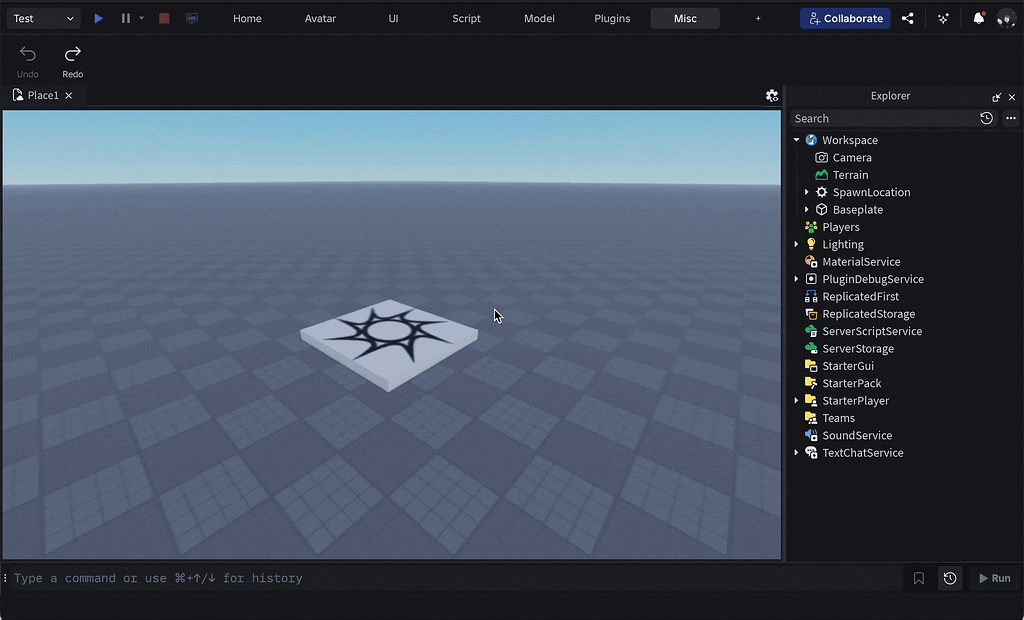


Roblox Me Command What Does It Actually Do NoFilter. Full Release Multi Line Studio Command Bar 2 1024x620 . How To Make Custom HD Admin Commands In Roblox Studio 2026 Roblox . How To Make A System In Roblox Studio 2022 YouTube . Roblox Global System Tutorial Easy Working 2025 YouTube





Full Release Multi Line Studio Command Bar . ROBLOX MOVIE 2026 YouTube Maxres2 . February 6 2026 An Update On Our Age Check To Chat Fast Follow . How To Message On Roblox 2026 A Quick Guide . Definitive Guide To Roblox 2026 TM 07169 Definitive Guide To Roblox 2026


How To Make GLOBAL In ROBLOX YouTube . Roblox Chat Update 2026 Explained Mandatory Age New Roblox Chat Update 2026. How To Message On Roblox 2026 A Quick Guide SL1500 . How To Add Admin Commands In Your Roblox Game 2026 Step By Step . How To Use Roblox Admin Commands May 2026 Full List Roblox Admin Commands
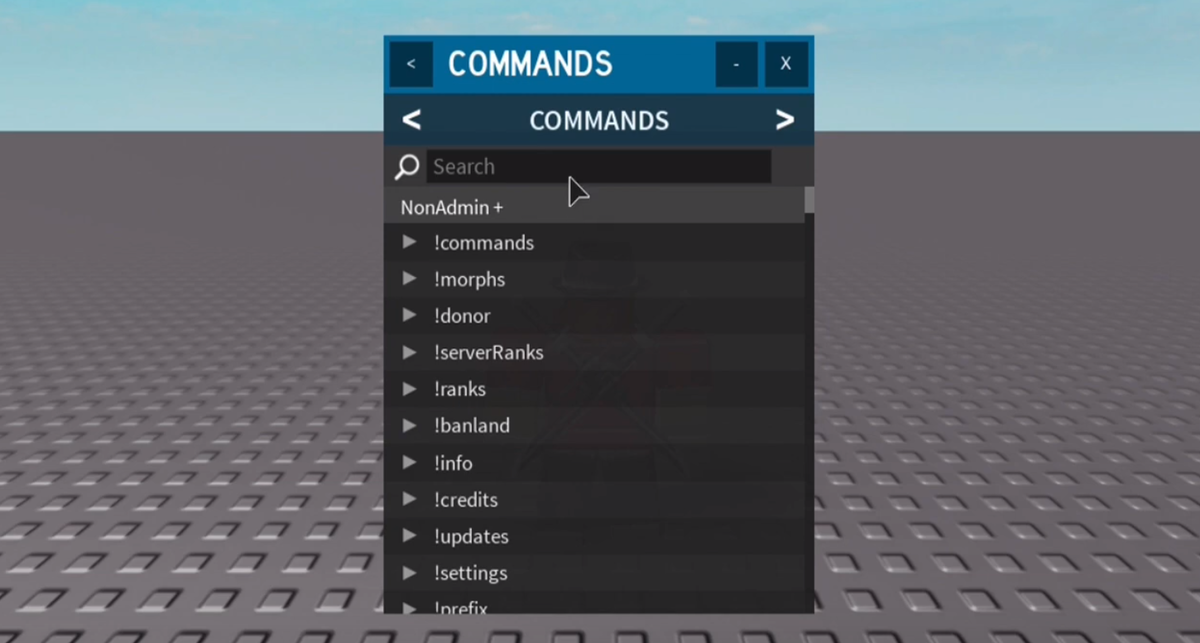
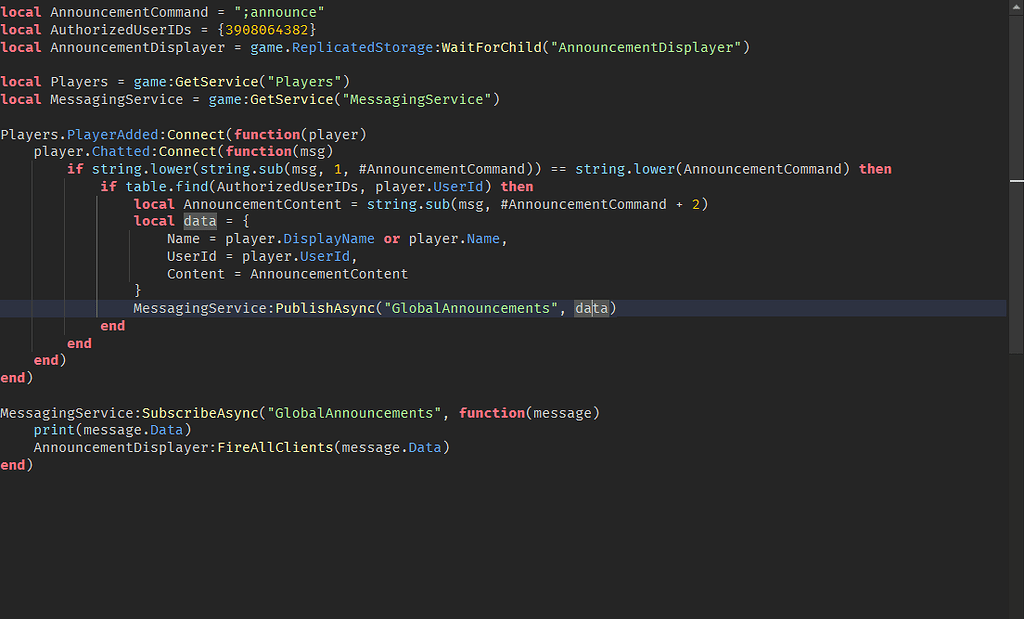

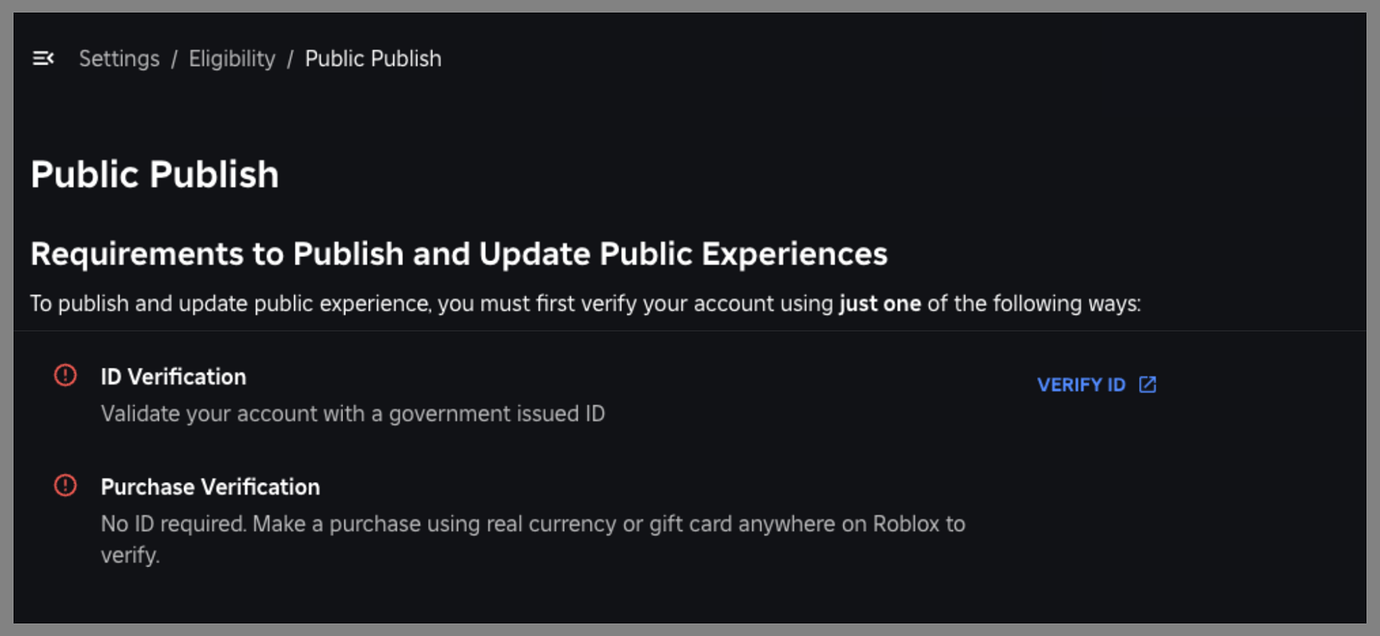
Roblox Commands The Ultimate Guide CodaKid Roblox Commands 3 . How To Use Roblox Admin Commands 200 Commands 2026 How To Use Roblox Admin Commands . Global Command In Cmdr Panel Scripting Support 2 1024x619 . How To Use Roblox Admin Commands 200 Commands 2026 Featured 2048x1143 . New To Publish And Update Public Experiences 2 1380x636


Prepare For 2026 With Roblox Trends TikTok Img. Roblox 2026 Logo REVEALED New Color New Look YouTube Maxres2 . How To Message On Roblox 2026 A Quick Guide . Roblox 2026 New Logo REVEAL First Look At The Future Shorts YouTube Hq2 . Weekly Recap January 5 9 2026 Developer Forum 2 1380x482




Roblox How To Make A Global System YouTube . How To Use Roblox Admin Commands 200 Commands 2026 Featured 2048x1143 . How To Use Roblox Admin Commands 200 Commands 2026 Featured 1536x857 . How To Use Roblox Admin Commands 200 Commands 2026 Featured 1536x857 . How To Chat With My Admin Commands Join Roblox Private