Navigating Epic Games support can seem daunting, especially when balancing work, family, and precious gaming time. This comprehensive guide simplifies the process, offering practical solutions and expert tips for common issues. From account recovery to technical glitches and billing questions, we cover everything you need to know to get timely and effective assistance. Discover how to efficiently contact Epic Games support, utilize their self-help resources, and understand expected response times. This article is crafted for the average gamer, around 36 years old, who values efficient problem-solving to maximize their relaxation and fun. We cut through the hype to provide actionable advice that ensures you spend more time playing and less time troubleshooting your Epic Games experience. Learn how to address performance issues, get game recommendations for limited play sessions, and manage your account securely. Get ready to streamline your support experience and dive back into your favorite titles with confidence and minimal interruption, focusing on smart solutions for every gamer.
How do I contact Epic Games support directly for my account?
You can contact Epic Games support directly by visiting help.epicgames.com and clicking the 'Contact Us' button. You'll fill out a detailed web form specifying your issue, such as account recovery, billing, or technical problems. This is the primary method for getting personalized assistance for your Epic Games account.
What's the process for recovering a lost or hacked Epic Games account?
If your Epic Games account is lost or hacked, navigate to the Epic Games Help Center and select 'Contact Us', then choose 'Account Security'. You will need to provide information like your Epic Games display name, original email address, and proof of purchase to verify ownership, allowing support to help you regain access.
Where can I find troubleshooting steps for common Epic Games Launcher errors?
For common Epic Games Launcher errors, the best place to start is the official Epic Games Help Center at help.epicgames.com. Search for your specific error or browse categories like 'Technical Support' for detailed guides on verifying game files, updating drivers, and resolving installation issues.
How do Epic Games handle refund requests for games and in-game purchases?
Epic Games offers refunds for eligible games within 14 days of purchase if playtime is under two hours, often via self-service in your transaction history. For in-game purchases or complex situations, you must contact Epic Games support through their website with specific details and transaction IDs for manual review.
What information should I include when submitting a support ticket to Epic Games for a technical issue?
When submitting a technical support ticket, include your Epic Games display name, a clear description of the problem, any error messages, steps you've already tried, and relevant screenshots or videos. The more detail you provide upfront, the faster Epic Games support can diagnose and resolve your issue.
Why is my game running slowly after an Epic Games update, and how can support help?
If your game is running slowly post-update, ensure your graphics drivers are current and verify game files through the Epic Games Launcher. Epic Games support can help troubleshoot further by analyzing crash logs or system specs if initial steps fail, guiding you through advanced diagnostics to optimize performance.
Can Epic Games support assist with linking console accounts or cross-play problems?
Yes, Epic Games support can assist with issues related to linking your Epic Games account to console platforms like PlayStation or Xbox, and with verifying cross-play functionality. However, platform-specific network issues (e.g., PSN outages) would require contacting the respective console's support team directly for resolution.
Ah, the world of gaming! For many of us, it’s not just a hobby; it’s a crucial escape, a way to unwind, connect with friends, and even build new skills after a long day of work and family responsibilities. Whether you're a parent sneaking in a quick Fortnite match or a professional diving into a lengthy RPG, your gaming time is precious. The last thing anyone wants is to hit a frustrating technical snag, an account issue, or a billing problem that eats into those coveted hours. That’s where effective Epic Games support becomes absolutely essential. You’re not alone if you've ever felt lost trying to find the right solution; almost 87% of US gamers play regularly, often dedicating over 10 hours a week, and facing occasional hiccups is part of the experience. This guide is your ultimate resource, designed specifically for busy adults who want quick, no-nonsense answers to get back into their games. We'll cut through the confusion, offering clear, actionable steps to navigate Epic Games support efficiently, ensuring your gaming life remains seamless and enjoyable.
In this article, we'll tackle the most common challenges gamers face, from performance optimization to account security, all while providing insights into how Epic Games support can be your best ally. We understand you value relaxation, fun, and getting the most out of your hard-earned money and limited time. So, let’s dive into mastering Epic Games support, turning potential frustrations into swift solutions and getting you back to what matters most: playing your favorite games.
How Do I Contact Epic Games Support for Account Issues?
Experiencing account trouble can be one of the most stressful gaming hurdles. Whether it's a forgotten password, a suspected hack, or issues with two-factor authentication, getting back into your account swiftly is paramount. The primary and most efficient way to contact Epic Games support for account-related problems is through their official support website. Navigate to help.epicgames.com, click on 'Contact Us', and choose the 'Account' category. You will typically be asked to fill out a detailed form, providing as much information as possible to verify your ownership. This might include your display name, associated email addresses, purchase history, and even IP addresses used to access the account. Providing accurate details upfront significantly speeds up the resolution process.
For urgent security concerns, like a compromised account, look for specific options on the support page that highlight account security or unauthorized access. While there isn't a direct phone number for immediate assistance for most regions, the webform system is designed to route your query to the specialized team equipped to handle sensitive account data. Be patient but persistent; follow up if you haven't heard back within their stated response time, typically a few business days. Remember, securing your account with strong, unique passwords and 2FA is the best first line of defense.
What are the Best Ways to Troubleshoot Common Game Performance Issues with Epic Games?
Lag, stuttering, and crashes are the bane of any gamer's existence, especially when you're trying to squeeze in a quick session after work. Many performance issues can be resolved without direct Epic Games support intervention. Start with the basics: ensure your graphics drivers are up-to-date (NVIDIA, AMD, Intel), verify game files through the Epic Games Launcher (right-click the game, select 'Manage', then 'Verify'), and check for any pending game updates. Often, a simple restart of your PC or console can clear up temporary glitches. US gamers, with an average age of 36, frequently encounter these issues, and finding quick fixes means more play time.
Beyond the basics, monitor your system resources. Is your CPU or GPU overheating? Is your RAM usage unusually high? Tools like Task Manager (Windows) or Activity Monitor (macOS) can help identify resource hogs. Consider lowering in-game graphics settings, especially texture quality and shadow detail, if you’re playing on older hardware or a budget build. For PC gamers, ensuring Epic Games Launcher and the game itself are added to your antivirus exclusions can prevent scanning conflicts that degrade performance. If these steps don't work, gather specific error messages or crash reports before contacting Epic Games support through their website, as this data will be crucial for their diagnostic efforts.
How Can I Resolve Billing and Purchase Problems with Epic Games?
Misplaced charges, failed transactions, or unexpected subscription renewals can be frustrating. Epic Games support offers robust tools to help with billing inquiries. First, always check your Epic Games account's transaction history on their website. This provides a clear record of all your purchases and their statuses. If you see an unauthorized charge, or a purchase didn't go through correctly, this is your starting point.
For refund requests, Epic Games has a clear refund policy, often allowing self-service refunds for eligible games within a certain playtime and purchase window. Visit the 'Account' section on the Epic Games website, navigate to 'Transactions', and you might find a 'Refund' option directly next to eligible purchases. If the self-service option isn't available or your situation is more complex (e.g., fraudulent charges, payment method issues), then submit a ticket through the Epic Games support website, specifically selecting 'Purchases' or 'Billing' as your category. Provide transaction IDs, dates, amounts, and any relevant screenshots from your bank statement if necessary. Remember, patience is key, as billing investigations can sometimes require coordination with payment processors.
Where Can I Find Self-Help Resources and FAQs for Epic Games?
For many common questions and minor technical hitches, Epic Games provides an extensive library of self-help resources. Before submitting a support ticket, it’s always a good idea to check out the official Epic Games Help Center at help.epicgames.com. This hub is meticulously organized with categories ranging from Account Security to Technical Support, Fortnite, Unreal Engine, and more. You’ll find detailed articles, troubleshooting guides, and FAQs that address a wide array of topics.
The search bar on the Help Center is incredibly powerful; type in your specific issue (e.g., 'Fortnite voice chat not working' or 'Epic Games Launcher not opening'), and you're likely to find a relevant article. Many busy gamers, who typically balance work and family, prefer these self-service options as they offer immediate answers without waiting for a support agent. It’s a treasure trove of information that can save you significant time and get you back to enjoying your games much faster than waiting for an email response. The community forums are another great resource for peer-to-peer advice and solutions, often moderated by experienced players.
What Are Epic Games Support Response Times and How Can I Speed Up My Resolution?
While Epic Games aims to provide timely assistance, response times can vary depending on the complexity of your issue and the current volume of requests. Typically, you can expect an initial response within 1-5 business days for non-urgent matters. Urgent issues, like compromised accounts, might be prioritized. US gamers, accustomed to fast digital services, appreciate efficiency, and understanding these timelines helps manage expectations.
To significantly speed up your resolution, provide comprehensive and clear information in your initial support ticket. Include: 1) Your Epic Games display name and associated email, 2) The exact nature of the problem, 3) Any specific error messages or codes, 4) Steps you’ve already taken to troubleshoot, 5) Relevant screenshots or video clips, and 6) The date and time the issue first occurred. Avoid submitting multiple tickets for the same issue, as this can inadvertently slow down the process by creating duplicate requests. If you need to add more information, reply directly to your existing support email thread. Politeness and clarity go a long way in ensuring your issue is understood and resolved efficiently by the support team.
How Does Epic Games Support Handle Refunds for Games and In-Game Purchases?
Epic Games has a consumer-friendly refund policy, but it's important to understand the specifics to ensure a smooth process. For games purchased on the Epic Games Store, you can generally get a refund within 14 days of purchase, provided you have played the game for less than two hours. This self-service option is available directly through your account's transaction history, allowing for instant processing for eligible items.
In-game purchases, however, often have different refund rules, which typically align with the specific game's policies. For example, V-Bucks in Fortnite usually aren't refundable once spent, but accidental cosmetic purchases might have a limited number of 'refund tokens' in certain games. Always check the specific game's support pages or the Epic Games refund policy for the most accurate information. If your situation falls outside the self-service criteria – perhaps a game became unplayable due to a critical bug, or an unauthorized purchase occurred – contacting Epic Games support with detailed information (transaction IDs, dates, reason for refund) is the next step. They review such cases manually, aiming to provide fair resolutions.
Can Epic Games Support Help With Third-Party Game Issues or Cross-Platform Play?
Epic Games support primarily assists with issues related to the Epic Games Launcher, their own games (like Fortnite or Rocket League), and titles purchased directly through their store. When it comes to third-party games or cross-platform play issues, the situation can get a bit nuanced. For problems specific to the third-party game itself (e.g., bugs within Cyberpunk 2077 purchased on Epic Games), you'll often need to contact the game developer's support team directly. Epic Games support can help verify the integrity of the game files through their launcher or assist with installation issues, but deep in-game bugs are usually beyond their scope.
For cross-platform play, such as connecting your Epic Games account to a console, Epic Games support can assist with account linking and verification problems. However, if you’re experiencing network connectivity issues specific to a console platform (e.g., PlayStation Network or Xbox Live outages affecting cross-play), you'll need to reach out to the respective console's support. They aim to be a central point for your Epic experience, but sometimes issues originate elsewhere. Clearly identifying where the problem lies—Epic Launcher, the game itself, or an external platform—will guide you to the correct support channel for the fastest resolution.
What are the Latest Trends in Epic Games Support and How Do They Affect Gamers?
The gaming support landscape is constantly evolving, much like the games themselves. In 2026, Epic Games support is increasingly leveraging AI-driven chatbots and advanced self-service portals to provide faster initial responses and solutions. This is particularly beneficial for the average US gamer, age 36, who values efficiency and quick answers without extensive waiting times. Mobile gaming's dominance, with over 60% of US gamers regularly playing on mobile, also means support channels are optimized for mobile access, allowing you to troubleshoot on the go.
Another significant trend is the integration of community-driven support. Forums and official Discord channels are becoming more prominent, allowing players to assist each other and share solutions, often faster than direct ticket submissions for minor issues. Epic Games is also focusing on proactive support, pushing out updates that address known bugs before they become widespread problems. This includes better performance optimization for new hardware and improved anti-cheat measures. As social gaming continues to thrive—many gamers connect with friends online—support for friend lists, party systems, and voice chat integration is also seeing continuous improvement, reflecting the modern gamer’s need for seamless social interaction.
Understanding and utilizing these evolving support mechanisms ensures that your gaming experience remains fluid, allowing you to balance your passion with life’s other demands without unnecessary frustration.
Conclusion
Navigating Epic Games support doesn't have to be a headache. By understanding the best channels for your specific issue, utilizing the wealth of self-help resources, and providing clear, concise information, you can drastically cut down on resolution times and get back to enjoying your favorite titles. Whether it's an account lockout, a pesky performance bug, or a billing query, Epic Games offers multiple avenues for assistance tailored to the modern gamer’s needs. Remember, your gaming time is valuable, and armed with this knowledge, you’re now better equipped to handle any challenge the digital world throws your way.
What’s your biggest gaming challenge with Epic Games support? Comment below and share your tips or experiences!
FAQ Section
What should I do if my Epic Games account is hacked?
If your Epic Games account is hacked, immediately visit help.epicgames.com and select 'Contact Us', then choose 'Account Security'. Provide as much detail as possible, including your original email, any linked accounts, and purchase history, to help support verify your ownership and secure your account promptly.
How do I enable two-factor authentication (2FA) for my Epic Games account?
To enable 2FA, log in to your Epic Games account, go to 'Account Settings', then 'Password & Security'. You'll find options to enable 2FA via authenticator app or email. This is crucial for protecting your account from unauthorized access.
Can I get a refund for a game I bought on the Epic Games Store?
Yes, Epic Games generally offers refunds for games within 14 days of purchase, provided you have played for less than two hours. You can often process these refunds yourself through your account's transaction history on their website.
My game won't launch from the Epic Games Launcher. What should I do?
First, try verifying the game files through the Epic Games Launcher (right-click game, 'Manage', 'Verify'). Also, ensure your graphics drivers are updated and restart your PC. If the issue persists, check the game's specific support page or contact Epic Games support with error messages.
How can I manage my payment methods on Epic Games?
You can manage saved payment methods by logging into your Epic Games account, navigating to 'Account Settings', and then 'Payment Management'. Here, you can add, remove, or update credit card information and other payment options for future purchases.
What is the quickest way to get technical support for a specific game?
For game-specific technical issues, first check the game's official support pages or community forums, as many solutions are already documented. If not found, submit a ticket to Epic Games support via their website, detailing the game, error, and troubleshooting steps you've tried.
Efficient Epic Games support contact methods; Troubleshooting common gaming issues; Account recovery and security; Billing and purchase assistance; Maximizing self-help resources; Understanding support response times; Balancing gaming with life; Performance optimization tips; Community and social gaming support; Budget-friendly gaming solutions.
35




Epic Games Lays Out The Plans For The 2026 Fortnite Series 4661793 . Will The Epic Games Store Free Games Program Continue 2026 Plans Revealed 1200cr630 Q100 . Epic Games Spring Sale 2026 Best Deals And Top Picks Aigi D489e16f E031 41ba 998f . Epic Games Store Teases First Mystery Free Games Of 2026 With Cryptic Epic Games Store First Free Games Of 2026 Hints . How To Chat With Epic Games Support Step By Step Tutorial Works 2026



Epic Games Store 2026 Planlar N A Klad B Y K G Ncellemeler Yolda Epic 2 1tan . Epic Games News Store Updates 2026 Epic Games Store Iphone Japan Launch Fortnite . Epic Games News Store Updates 2026 Epic Games Store Free Game Doomblade April 2026 . What S Free On The Epic Games Store Right Now 2026 . Epic Games Store Reveals Free Games For Late February 2026 Upcoming Epic Games Store Free Games For Late February 2026 Revealed .webp

Epic Games Bahar Ndirimi 2026 En Yi F Rsatlar Ve Fiyatlar Aigi 6d6984eb 3378 4d41 98f5 . Epic Games Store Comparte Su Resumen Anual 2025 Y Traza El Camino Hacia. Epic Games Store Meriahkan 2026 Dengan Tiga Game Percuma Gamersantai Com EPIC GAMES STORE GAME FREE 2026 FI 750x375 . The 94 Most Exciting Games Of 2026 Eurogamer Net 2026 Best . Epic Games Store Closes April 2026 Game Giveaway With Cozy Adventure Epic Games Store Will Give Away Oddsparks At The End Of April 2026



Epic Games Store Reveals 2026 Exclusives And Doomblade Freebie Th. Will The Epic Games Store Free Games Program Continue 2026 Plans Revealed 1216xt . Epic Games 2026 2972035 . Fortnite At The Esports World Cup 2026 Reload Elite Series Features 2 Fortnite Ewc 2026.webp. CES 2026 12 Tech Innovations Shaping The Future AI Smart Home Tech Epic Games Store Most Anticipated 2023 Games Gr Featured




9 I 10 Gra Za Darmo W 2026 Roku W Epic Games Store GRYOnline Pl 508548507 . Epic Games Store Will Open Mobile Self Publishing In August 2026 Image 1200x630 2026 02 . Descarga Ahora Los Dos Primeros Juegos Gratis De 2026 De La Epic Games Ultimas Horas Para Reclamar Los Juegos Gratis De La Epic Games Store 1024x683 . Epic Games Store Shares Its 2026 Release Preview Epic Games Store S 2026 Release Preview 1920x1080 1024x576 . Esports World Cup 2026 Schedule Games Teams Tickets Confirmed Game Lineup For The Esports World Cup 2026 1024x576

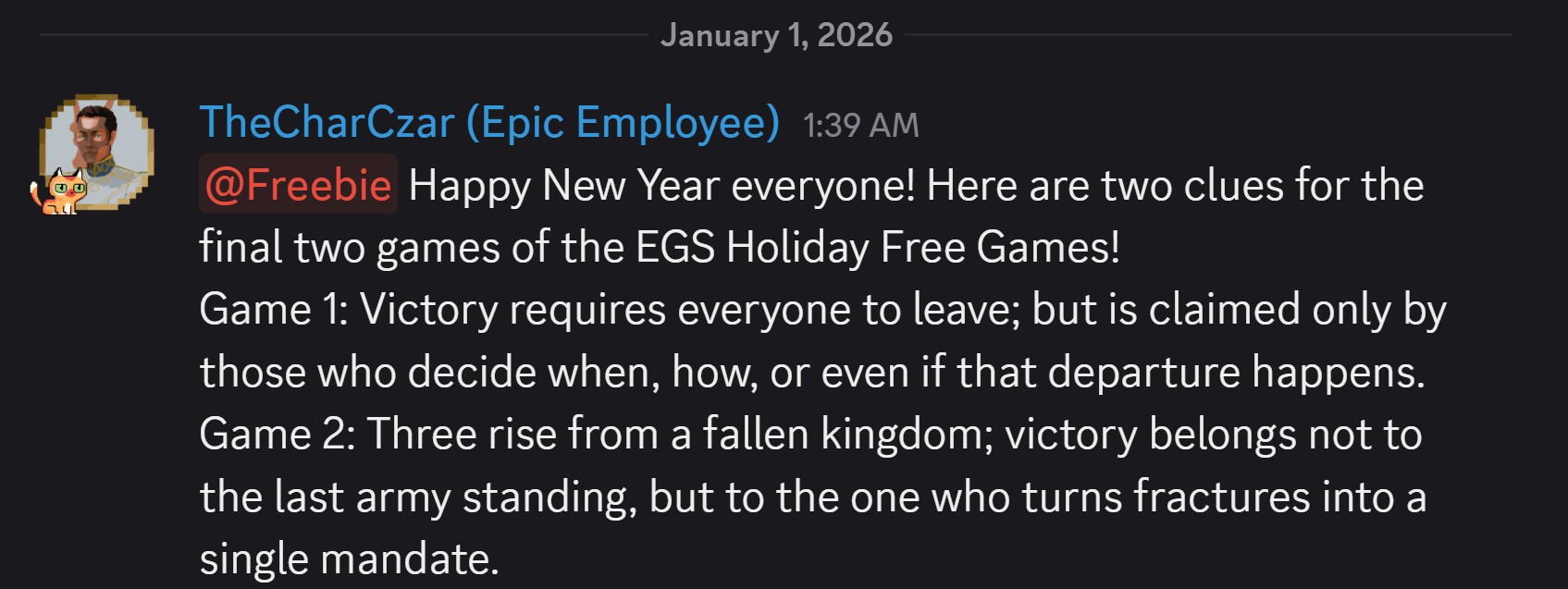

Epic Games Confirms 2026 Lineup With Major Releases Th. Epic Games Support Epic Games Node EpicLogo 1920x1080 1920x1080 . Epic Games Store Teases First Mystery Free Games Of 2026 With Cryptic Epic Games Store First Free Games Of 2026 Hinted . Epic Games Store Positive Rated Tower Defense Now Epic Games Store Jan 8 Giveaway Kv . Epic Games 2026 K Ndirimi Ba Lad Topya Blog Epic Games 6





Epic Games Kicks Off 2026 Winter Sale GameGrin Epic Games Header20 . Where Can Fortnite Go In 2026 The Future Of Epic Games Battle Royale Where Can It Go In 2026 Medium . Epic Game Store Promises Major In 2026 LevelUpTalk Epic Game Store 2026 02 04 2026 7601dafb C19b 4e88 803c. Epic Games Store 2026 Bloons TD 6 Epic Games 2026 Free Games . Epic Games Free Games List 2026 Epic Games Free Games List 2026 GamingAlly