Navigating the digital landscape of gaming can sometimes mean knowing when to step back or clean up your online presence. For many seasoned gamers balancing careers, family, and personal time, managing various game accounts, including popular platforms like Roblox, becomes essential. This comprehensive guide to Roblox account deletion is designed for the modern US gamer who values efficiency, privacy, and clear information. Whether you are decluttering your digital life, addressing privacy concerns, or simply moving on to new gaming adventures, understanding the exact process for Roblox account deletion is crucial. We will cut through the noise to provide actionable steps, address common concerns like Robux and data retention, and offer alternatives for those not ready for a permanent exit. This resource aims to empower you with the knowledge to make informed decisions about your Roblox account, ensuring a smooth and clear path forward in your gaming journey. Discover what you need to know about removing your Roblox footprint responsibly and effectively.
What happens to my Robux and virtual items when I delete my Roblox account?
When you delete your Roblox account, any Robux you have accumulated and all virtual items or creations tied to that account are permanently lost. Roblox's terms of service clearly state that these digital assets cannot be transferred, refunded, or recovered once the account is deleted. It's a critical consideration for any gamer who has invested in the platform; if you have significant virtual currency or valuable items, ensure you are fully aware they will be gone forever.
How long does it take for a Roblox account to be permanently deleted?
After you submit a request for Roblox account deletion through their customer support, there is typically a 30-day grace period. During this time, your account is marked for deletion, but it isn't fully removed. If you do not log into the account within these 30 days, it will then be permanently deleted from Roblox's systems. Logging in at any point during this period will cancel the deletion request, and your account will remain active.
Can I recover a Roblox account after it has been permanently deleted?
No, once a Roblox account has completed the full deletion process and the 30-day grace period has passed without any login activity, it is permanently unrecoverable. Roblox purges the associated data and profile, making restoration technically impossible. This emphasizes the importance of being absolutely certain before allowing the deletion process to finalize, as there's no way to get it back.
Are there any alternatives to deleting my Roblox account if I just want a break?
Absolutely. If you simply want a break or to reduce your time on the platform, you can choose to stop logging in. Your account will remain dormant, preserving all your progress, Robux, and creations until you decide to return. Additionally, you can adjust your privacy settings to limit interactions, remove personal information from your profile, or utilize parental controls to manage access without resorting to permanent deletion.
What information do I need to provide to Roblox Support to delete my account?
To initiate a Roblox account deletion, you will need to contact Roblox Support. In your request, you should provide your exact username, the email address associated with the account, and ideally, any billing email if you've made purchases. Providing this information helps Roblox verify your ownership and ensures a smoother, more secure deletion process. Clear communication about your intent for permanent deletion is also crucial.
What happens to my created games and content if I delete my Roblox account?
If you delete your Roblox account, all games, experiences, models, clothing, and any other content you have created on the platform will be permanently removed along with your profile. This content will no longer be accessible to you or other Roblox users. For many creators, this is a significant consideration, as years of work and creativity can disappear. There is no option to transfer ownership of these creations to another account before deletion.
How does Roblox account deletion protect my privacy?
Roblox account deletion is a direct way to protect your privacy by ensuring your personal data is removed from their active databases. Once deleted, information like your username, email, date of birth, and activity logs are purged. While some anonymized data might be retained for legal or operational reasons, it is disassociated from your personal identity. This process aligns with modern data protection regulations, giving users control over their digital footprint and enhancing overall data security.
In the evolving world of gaming, where 87% of US gamers regularly dive into virtual realms and many dedicate over 10 hours a week to their passion, managing your digital footprint is becoming as crucial as managing your game library. For the average gamer, around 36 years old, who balances competitive play or casual relaxation with demanding jobs and family life, platforms like Roblox have offered countless hours of creative fun and social interaction. However, sometimes it is time to move on, streamline your online presence, or simply take a break. This often leads to a practical question: How do I responsibly manage, or even delete, my Roblox account?
You are not alone in pondering this. Whether it is due to privacy concerns, a desire to declutter your digital life, or simply a shift in gaming interests towards other popular titles or social gaming trends, understanding the process of Roblox account deletion is vital. This guide is crafted to empower you, the busy US gamer, with clear, actionable information. We will demystify the steps involved in deleting your Roblox account, discuss what happens to your data and precious Robux, and explore potential alternatives. Our goal is to provide a no-nonsense, comprehensive resource so you can make informed decisions about your Roblox presence, ensuring your gaming life aligns perfectly with your real life.
What Exactly Happens When You Initiate a Roblox Account Deletion?
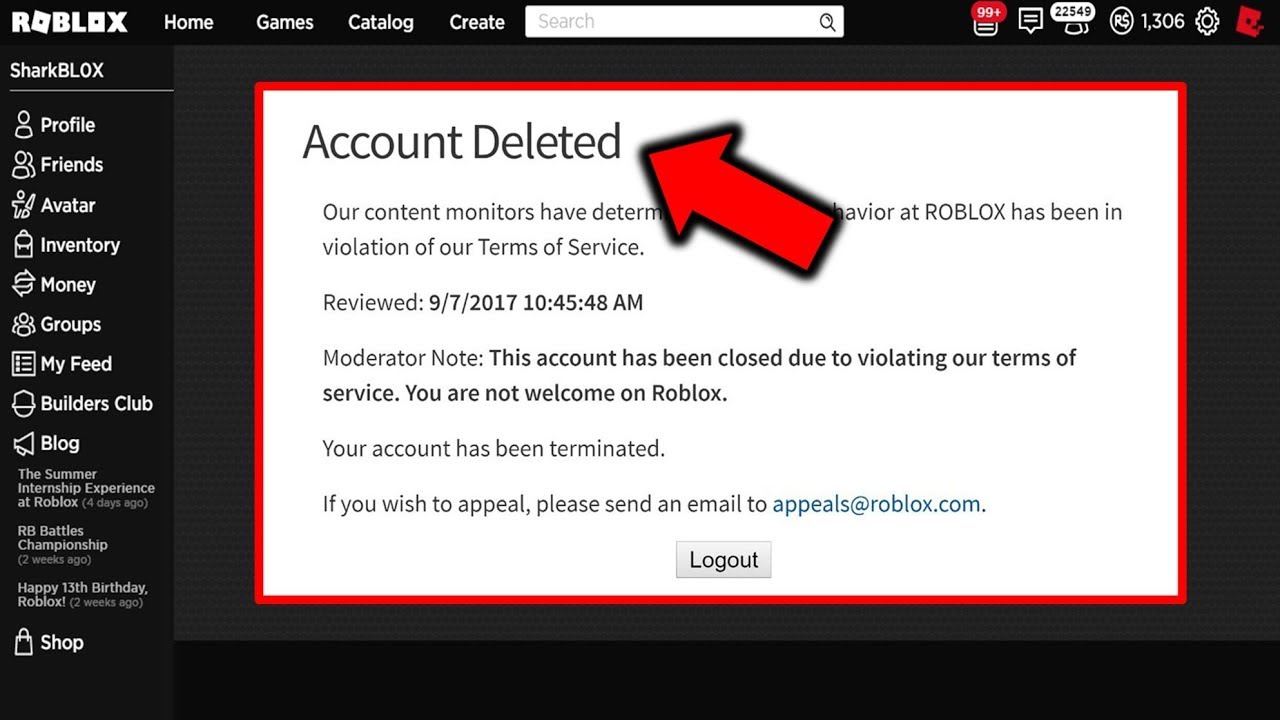
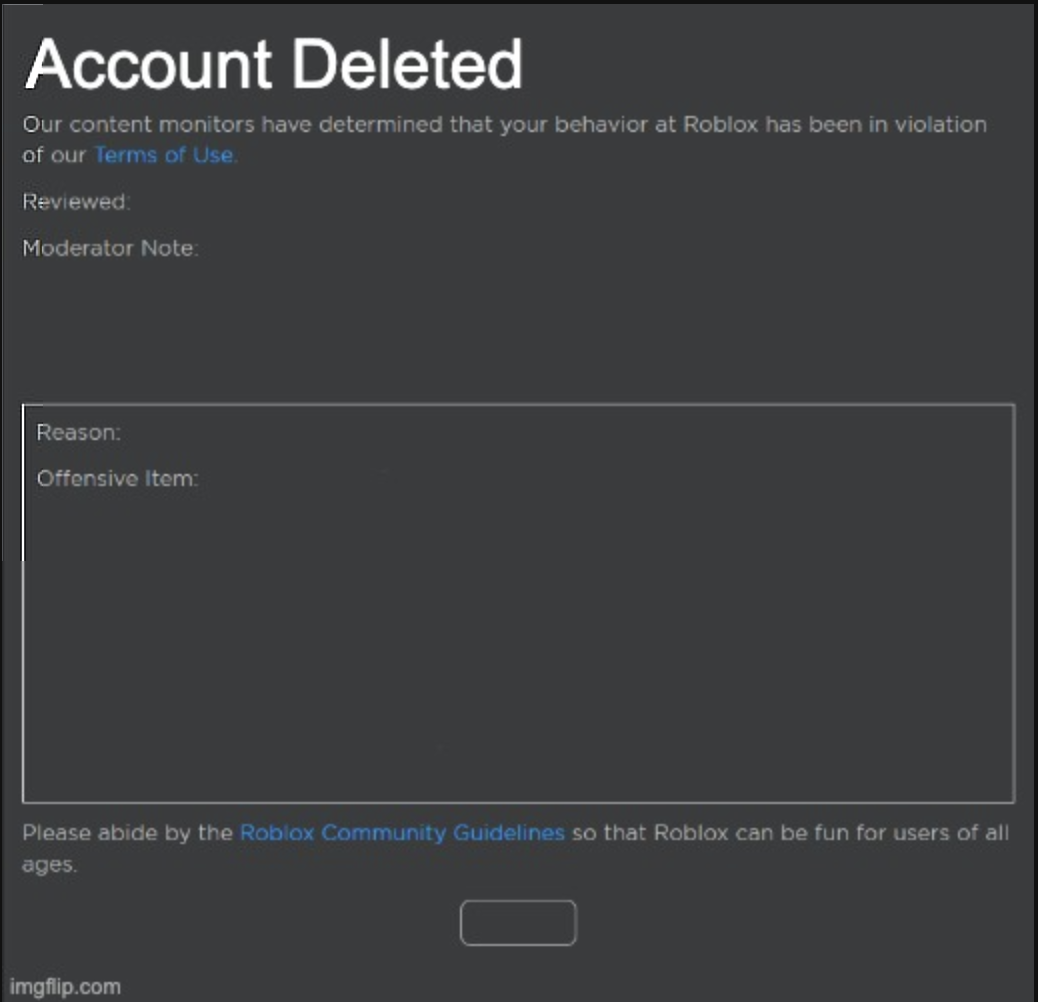
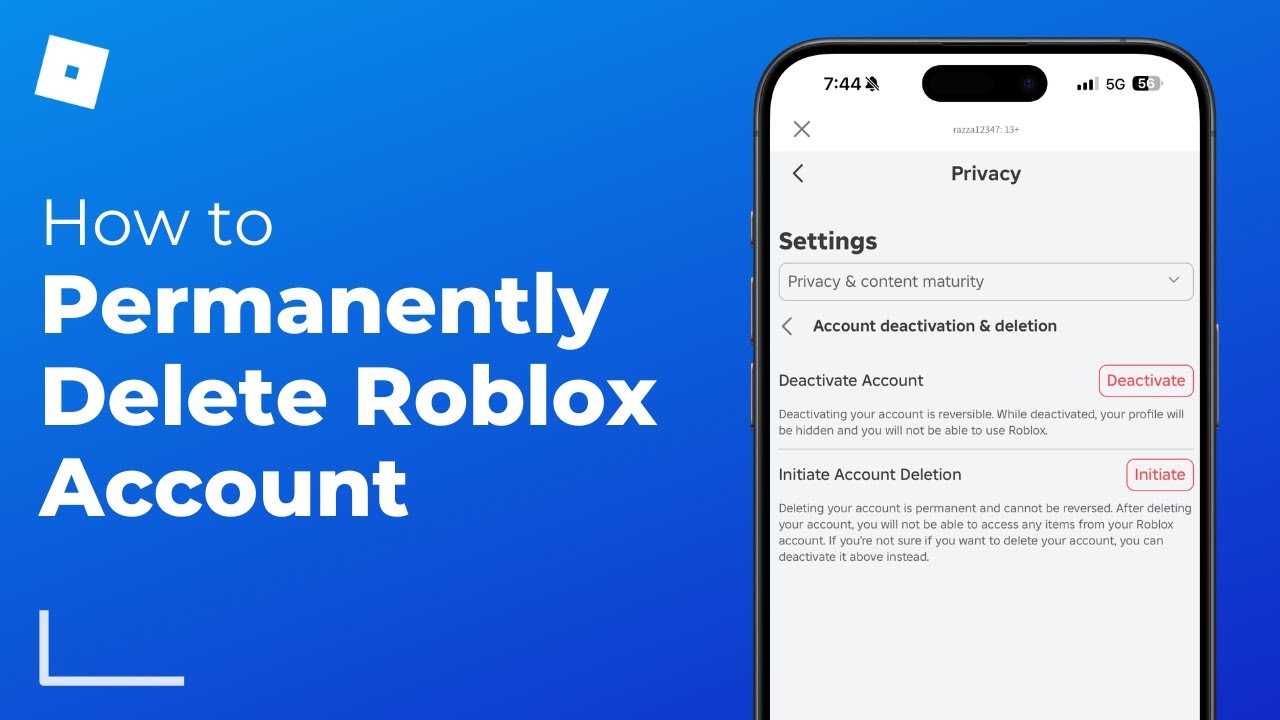
When you request a Roblox account deletion, you are essentially asking Roblox to permanently remove your user profile, associated data, and any content you have created. It is not an instantaneous process. Roblox typically initiates a 30-day grace period during which the account remains visible but inactive. After this period, if you do not log back in or cancel the deletion request, your account and all its linked information are permanently scrubbed from their systems. This includes your username, display name, friends list, game progress, creations, and any Robux or virtual items you owned. Think of it as digitally severing ties completely with the platform.
Why Might a Gamer Consider Roblox Account Deletion?
Gamers consider Roblox account deletion for a multitude of reasons, reflecting shifts in personal priorities and digital habits. Many adults, balancing work and family, might find their gaming time reallocated to newer AAA titles, esports viewing, or VR experiments. Privacy concerns are another significant driver; with increasing data breaches and evolving privacy regulations, users want more control over their personal information. Others might be decluttering their digital lives, removing old accounts they no longer use to minimize potential security risks or digital noise. For parents, it could be a decision based on their child outgrowing the platform or needing a more controlled online environment. It is about taking ownership of your digital footprint in an increasingly interconnected world.
How Do You Actually Initiate a Roblox Account Deletion?
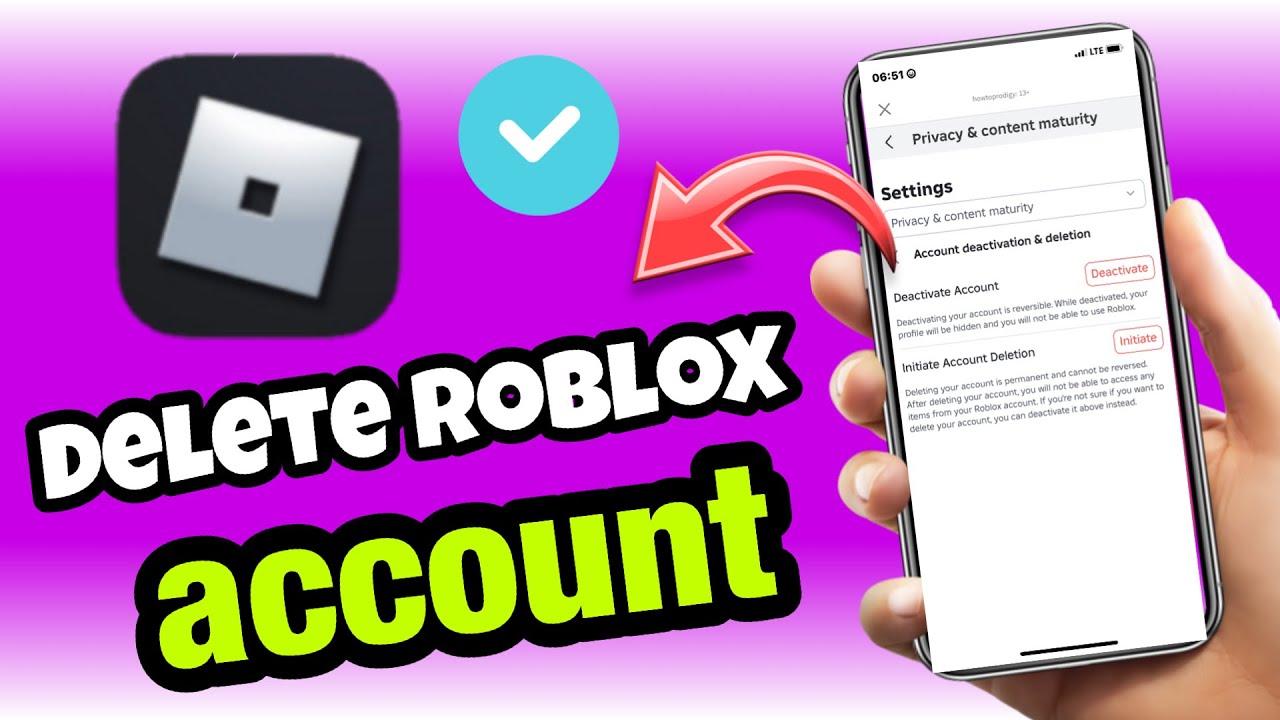
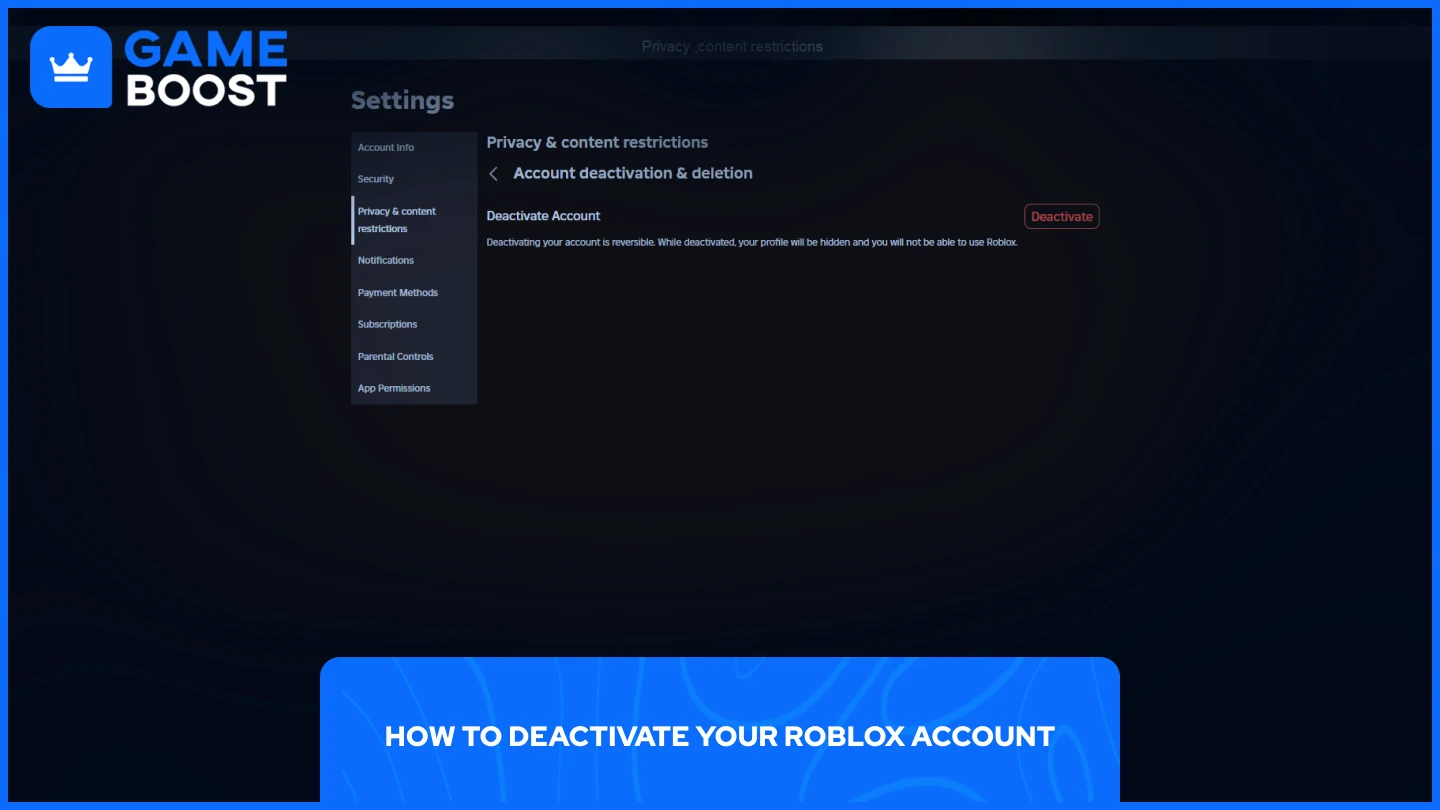
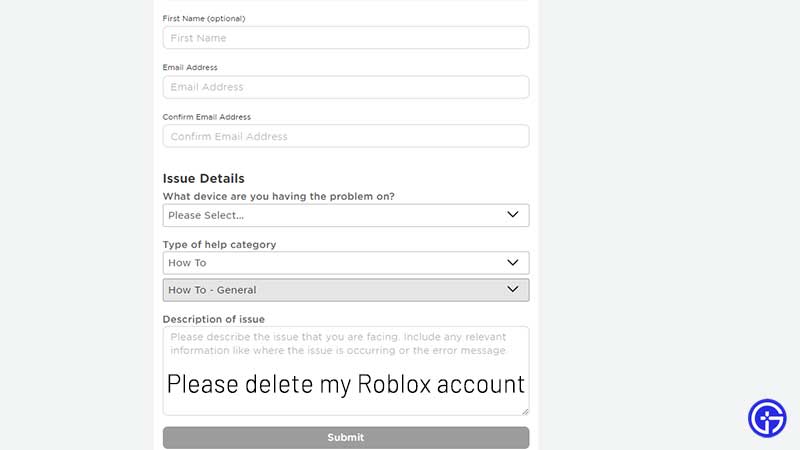
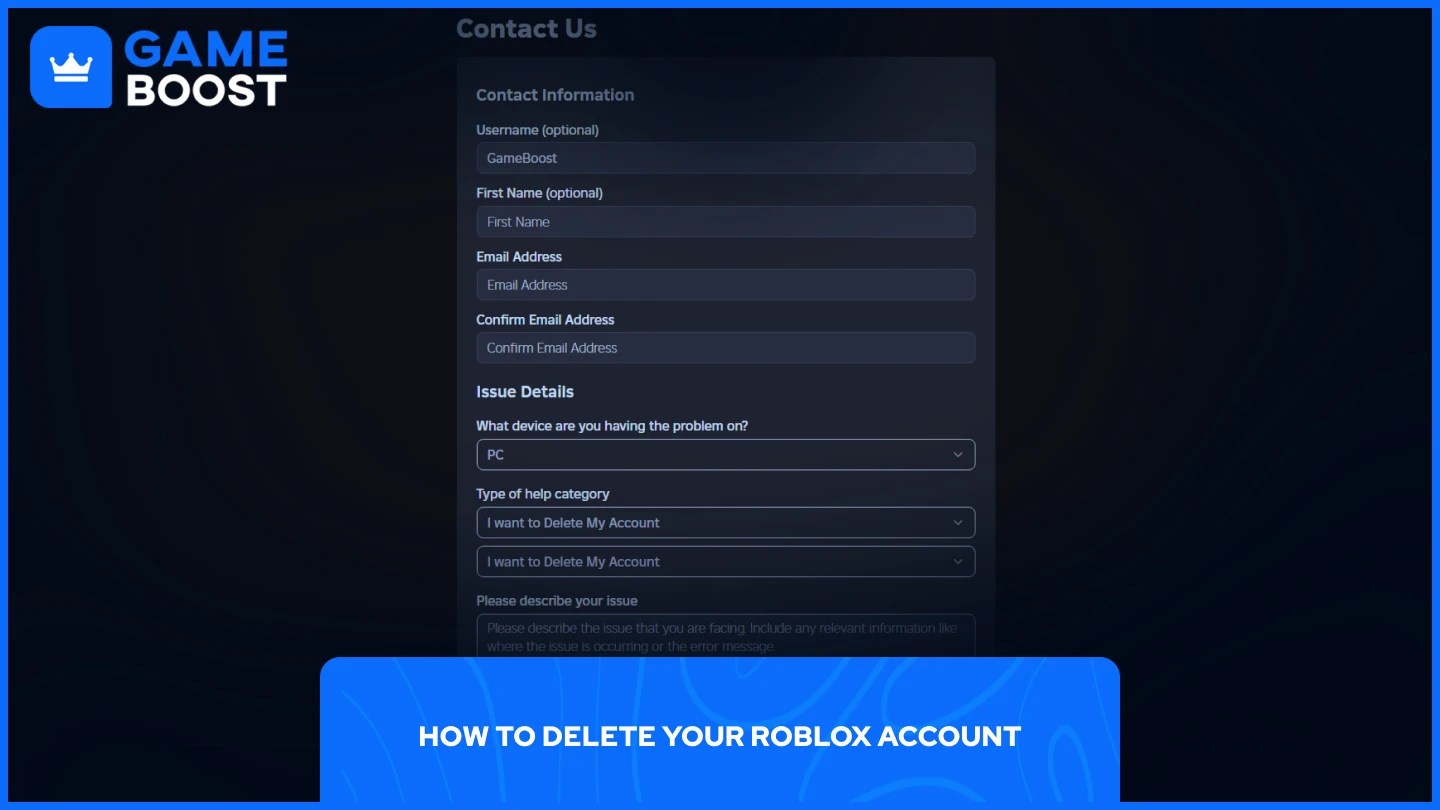
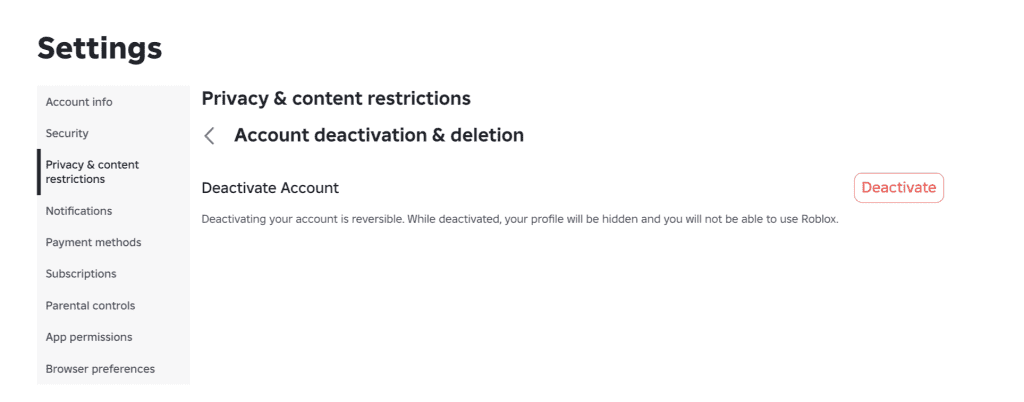
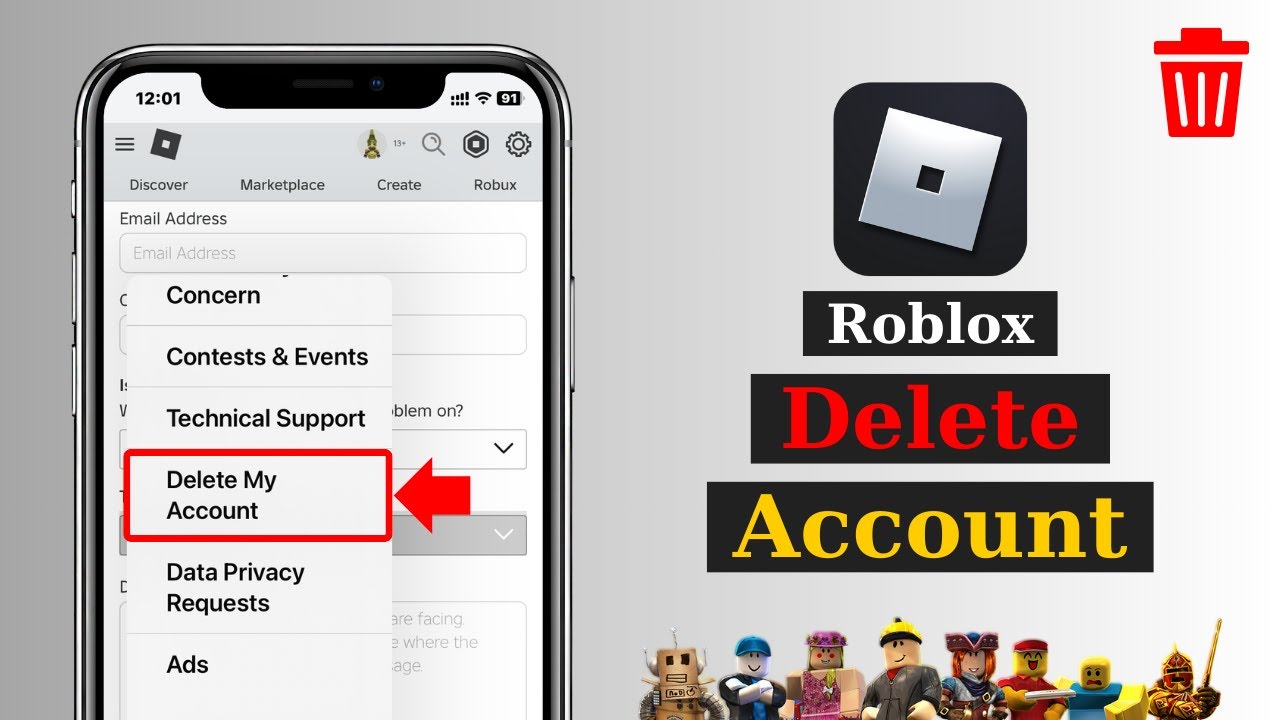
Initiating a Roblox account deletion is not a direct in-app button press but rather a communication with their support team. Here is a step-by-step breakdown:
- Log in to your Roblox account if you can. This helps streamline the process.
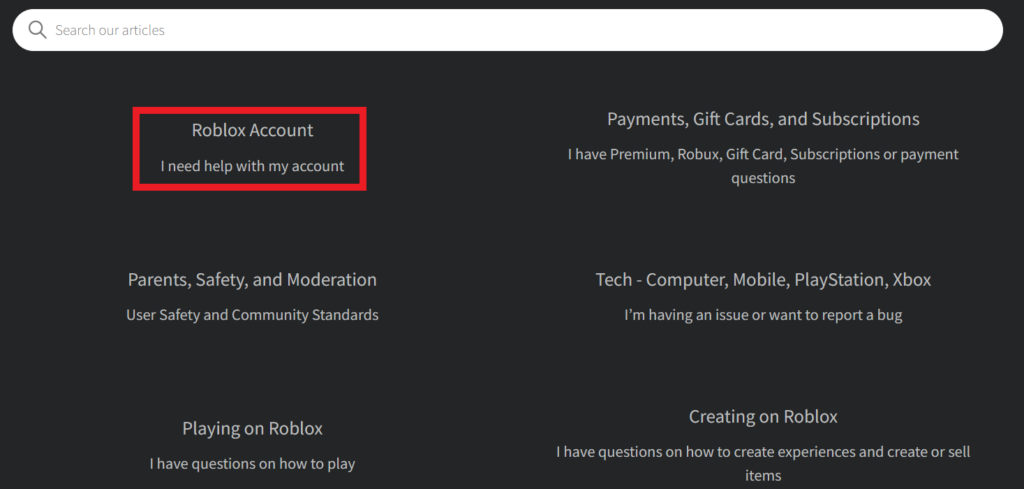
- Navigate to the Roblox Support page. You can usually find a link in the footer of the Roblox website.
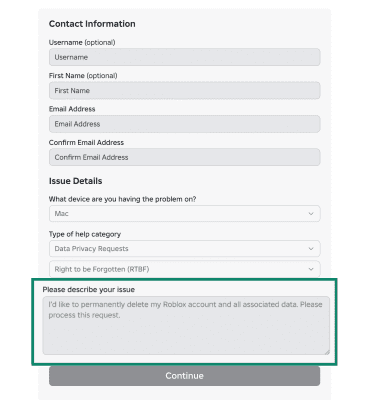
- Fill out the contact form. When selecting the issue type, choose something like 'Account Hacked or Cannot Log In' or 'Privacy' to ensure it gets routed correctly.
- In the description box, clearly state your request: 'I would like to delete my Roblox account permanently.' Include your username, email address associated with the account, and ideally, your billing email if you have made purchases, as this helps verify your ownership.
- Submit the form. Roblox Support will typically respond via email to confirm your request and guide you through any further verification steps. They will inform you about the 30-day waiting period.
- Crucially, DO NOT log back into the account during this 30-day period if you intend for the deletion to proceed. Logging in will cancel the deletion request.
It is a process designed to give users a chance to reconsider, but for those committed to deletion, patience and adherence to the steps are key.
Can You Recover a Deleted Roblox Account? What's the Timeframe?
Once a Roblox account has gone through the full deletion process and the 30-day waiting period has passed without any login activity, it is generally considered permanently unrecoverable. This is a critical point for any gamer to understand. During the initial 30-day grace period after you submit the deletion request, you *can* recover the account simply by logging back in. This action effectively cancels the deletion process. However, once that 30-day window closes and the account is fully purged from Roblox's systems, there is no technical mechanism for restoration. Roblox emphasizes this finality to ensure data privacy and system integrity. Therefore, it is imperative to be absolutely sure before letting the 30 days lapse.
Are There Alternatives to Permanent Roblox Account Deletion?
Absolutely! For many gamers, a full Roblox account deletion might be too drastic, especially if they are just considering a break or want to retain access to past creations or friends. Here are some viable alternatives:
- Temporary Deactivation / Taking a Break: While Roblox does not offer a formal 'deactivate' button like some social media platforms, you can simply stop logging in. Your account will remain dormant, preserving all your data, Robux, and creations until you decide to return.
- Adjusting Privacy Settings: For concerns about who can interact with you or see your activity, head into your account settings. You can restrict chat, friend requests, game invites, and even make your inventory private. This is a great option for parents managing a child's account or for users seeking more control over their social interactions.
- Removing Personal Information: Go through your account profile and remove any identifiable information, such as your real name, location, or profile picture. This enhances privacy without deleting the account.
- Password Reset for Security: If your concern is account security or unauthorized access, perform a strong password reset and enable two-step verification. This significantly bolsters your account's defenses.
- Filtering Content: For parents, leveraging Roblox's extensive parental controls can help manage what content their children access without needing to delete the account entirely.
These alternatives offer flexibility and control, allowing you to manage your Roblox experience without resorting to a permanent exit.
What About Robux and Virtual Items During Account Deletion?
This is a significant consideration for many users, especially those who have invested time and money into their Roblox experience. Unfortunately, any Robux or virtual items associated with an account that undergoes permanent deletion are irrevocably lost. Roblox's terms of service clearly state that virtual currency and items are tied to the account and cannot be transferred, refunded, or recovered once the account is deleted. This includes any pending Robux earnings from game passes or experiences, as well as limited-edition items, clothing, or game assets. It is a critical point to consider before proceeding with deletion. If you have a significant balance of Robux or highly valued virtual possessions, it is advisable to either spend them, gift them if possible through game mechanics (though typically not directly transferrable), or reconsider deletion in favor of a temporary break or privacy adjustments.
What Privacy Considerations Are There with Roblox Account Deletion?
Privacy is a paramount concern for today's digitally aware gamer. Roblox account deletion directly addresses these concerns by removing personal data. Once deleted, your personal information, including your email address, date of birth, and any other data collected during registration or usage, is purged from Roblox's active databases. This aligns with global data protection regulations like GDPR and CCPA, which grant users the right to have their data erased. However, it is important to understand that some anonymized data or logs may be retained for legal, security, or analytical purposes, but this data is decoupled from your personal identity. For gamers who prioritize their digital privacy and want to minimize their online footprint, particularly as mobile gaming accounts for a dominant share of market trends this month, a full account deletion is one of the most effective ways to exercise that right.
How Does Roblox Account Deletion Compare to Other Platforms?
The process of Roblox account deletion is fairly standard for a user-generated content platform, though it differs in directness from some other services. For example, some platforms like social media sites offer a direct 'deactivate' option which is reversible, and a separate 'delete' option which is often permanent after a grace period. Roblox leans more towards the 'contact support for deletion' model, similar to how many older online services or specific game launchers handle permanent account closure. Unlike simply uninstalling a PC game or an app, which only removes local files, deleting a Roblox account impacts the central user profile and all associated online data. Major gaming platforms like Steam or PlayStation Network also require contacting support for full account closure, emphasizing the permanence and the need for verification. This robust process is largely due to the digital assets (like Robux) and the social connections inherent in such platforms, making simple self-service deletion less common for comprehensive removal.
Who Should Consider Deleting Their Roblox Account?
Considering Roblox account deletion is a personal decision, but it is particularly relevant for several groups. Firstly, individuals, especially adults or older teens, who have completely moved on from the platform and no longer find enjoyment or utility in its offerings. This includes gamers who are shifting their focus to more complex PC or console titles, or who prefer other social gaming environments like Discord communities centered around specific games. Secondly, parents who wish to fully remove their child's access to Roblox after a certain age or if they deem the platform no longer suitable for their family's digital guidelines. This offers a clear boundary. Thirdly, users with significant privacy concerns who want to minimize their online data footprint across various platforms. Finally, anyone who finds themselves spending too much time or money on Roblox and feels a clean break is necessary to rebalance their gaming habits with their real-life responsibilities, reflecting the ongoing challenge many gamers face in balancing digital engagement with jobs, families, and personal well-being.
Are There Any Legal Implications or Age Restrictions for Roblox Account Deletion?
Generally, there are no direct legal implications for an individual deleting their own Roblox account, beyond the loss of any purchased Robux or virtual items as per Roblox's Terms of Service. However, age restrictions play a significant role. For users under the age of 13, a parent or legal guardian typically needs to submit the account deletion request on their behalf, often requiring additional verification to confirm parental consent. This adheres to regulations like the Children's Online Privacy Protection Act (COPPA) in the US, which mandates parental consent for collecting and managing personal information from children under 13. While Roblox aims to provide a safe environment for all ages, the deletion process for younger users is specifically designed to involve adult oversight, ensuring responsible digital citizenship and protecting minors' privacy rights.
As we navigate the increasingly digital landscape of 2026, managing our online presence, including gaming accounts, is more important than ever. Whether you are streamlining your digital life, prioritizing privacy, or simply moving on to new adventures, understanding the process of Roblox account deletion is a powerful tool. Remember, the decision is yours, and now you have the knowledge to make it wisely.
What's your biggest gaming challenge when it comes to managing old accounts or digital clutter? Comment below!
FAQ Section
What is the 30-day grace period for Roblox account deletion?
The 30-day grace period is a window after you request deletion where your account is marked for removal but is not yet permanently deleted. If you log back in during this time, the deletion request is automatically canceled, allowing you to keep your account.Can I get a refund for my Robux if I delete my account?
No, Robux and any virtual items or game passes associated with your account are permanently lost upon deletion and are not eligible for refunds, transfers, or recovery.Is Roblox account deletion reversible after the 30 days?
No, once the 30-day grace period has passed and your account has been fully deleted, the process is irreversible. Your account and all associated data cannot be recovered.Do I need parental permission to delete a Roblox account if I'm under 13?
Yes, if you are under 13, a parent or legal guardian must submit the account deletion request on your behalf, often requiring verification to confirm their consent in line with privacy laws.Will my creations disappear if I delete my Roblox account?
Yes, any games, clothing, or other content you created on Roblox will be permanently removed along with your account and will no longer be accessible to yourself or other users.What if I forgot my Roblox password but want to delete the account?
If you cannot log in, you will still need to contact Roblox Support. Provide as much verification information as possible (username, associated email, billing info) to prove ownership and request deletion. They will guide you through the process.Understanding Roblox account deletion permanently removes your profile and data. The process requires contacting Roblox Support and takes approximately 30 days to complete. No Robux or virtual items are recoverable after deletion. Consider account freezing or privacy settings as alternatives. Parental guidance is often involved for younger users, emphasizing responsible digital citizenship.
35


How To Delete Your Roblox Account Permanently In 2026 Full Guide Roblox Delete.webp. How To Delete Roblox Account Permanently 2026 YouTube . How To Delete Roblox Account 2026 YouTube . How To Delete Your Roblox Account Request Account Deletion On Roblox . How To Delete The Roblox Account Roblox Account Deleted

My Roblox Account Got Deleted YouTube . How To Delete Roblox Account Permanently 2026 Full Guide YouTube . How To Delete Your Roblox Account Remove Roblox Account Forever . How To Delete Your Roblox Account 2026 Delete Roblox Account IN 2 . How To Delete A Roblox Account And Recover It Later If Needed Image


How To Delete Roblox Worlds Is It Possible How To Delete Roblox Account . How To Delete Roblox Account A Step By Step Guide Robloxs Account Deletion . How To Delete Roblox Account 2026 YouTube . How To Delete Roblox Account Permanently Full Guide 2025 YouTube . How To Get Your Deleted Roblox Account Back Roblox YouTube



My Account Was Deleted How Long Will It Take To Get It Back Platform . How To Delete Your Roblox Account Step By Step 2026 Guide YouTube . How To Delete Your Roblox Account DeleteMe Screenshot 2024 02 22 001835 1 1024x489 . How To Delete Roblox Account Permanently Updated Quick Simple . Come Disattivare E Cancellare Il Tuo Account Roblox 2026 0547da4a 1436 4b9a A8bb

How To Delete Your Roblox Account A Step By Step Guide Roblox Ban . Roblox Account Deletion What You Need To Know . Roblox Account Deleted Template Blank Template Imgflip 98ad9s . How To Delete My Roblox Account Forever 2022 Gamer Tweak How To Delete A Roblox Account Permanently . Roblox 2026 Cf50419e 3482 47b8 Ac0f



How To Delete Your Roblox Account 2026 YouTube Hqdefault . How To Permanently Delete Your Roblox Account 2026 Guide YouTube . How To Delete A Roblox Account Step By Step Guide Delete Roblox Account 10 1024x402 . How To Message On Roblox 2026 A Quick Guide . How To Delete A Roblox Account Step By Step Guide Delete Roblox Account 5 375x400


How To Delete Your Roblox Account 5 Methods Delete Robolox Account 1 . How To Permanently Delete Roblox Account 2025 Full Guide YouTube . How To Delete Roblox Account Permanently Delete Roblox Account . How To Delete Your Roblox Account Full Guide YouTube . How To Initiate Account Deletion On Roblox App YouTube