Gaming isn't just a hobby; for many US gamers balancing careers and family, it's a vital escape, a social hub, and a place to unwind. If you're looking to dive into the Roblox creator economy, understanding how to make Roblox Gamepasses is a game-changer. This comprehensive guide cuts through the noise, offering clear, actionable steps for busy adults. We'll show you exactly how to create, configure, and manage Gamepasses, turning your creativity into potential Robux earnings. Discover practical tips to avoid common pitfalls, optimize your offerings, and enhance your game's appeal without unnecessary complexity. Whether you're aiming to fund your next game purchase, upgrade your rig, or simply enjoy the satisfaction of creating, mastering Gamepasses is an essential skill. Stay ahead of trends and learn to monetize your Roblox experiences effectively and efficiently. This resource is designed to empower you with the knowledge needed to succeed in the ever-evolving world of Roblox development, focusing on ease of use and maximum impact. We understand that your time is valuable, so we've structured this guide to get you up and running quickly, providing solutions to common setup issues and strategies for maximizing your in-game purchases.
How do I start making my first Roblox Gamepass today?Making your first Roblox Gamepass starts with having an active game experience. Navigate to your Roblox Create dashboard, select your experience, and find the Associated Items tab. From there, you can choose Game Passes and then Create a Game Pass. You'll need to upload an image, give it a name, and a description before setting it for sale.What's the typical Robux commission on Gamepass sales?Roblox takes a standard 30% commission on all Gamepass sales. This means if you sell a Gamepass for 100 Robux, you will receive 70 Robux in your pending Robux balance after a holding period. It's crucial to factor this into your pricing strategy to ensure you're earning what you expect.Is it possible to make a Gamepass without uploading a custom image?While Roblox technically allows you to create a Gamepass without a custom image, it will default to a generic placeholder. For better player engagement and professional appearance, it is highly recommended to upload a unique, descriptive image that clearly represents what your Gamepass offers. Visual appeal is key to sales.How long does it take for pending Robux from Gamepass sales to clear?Robux earned from Gamepass sales typically go into a pending status for up to 3-7 days for security and transaction verification purposes. After this period, they will be transferred to your available Robux balance, ready for use or cash-out (if eligible).What kind of benefits can Gamepasses offer players?Gamepasses can offer a wide range of benefits, such as access to exclusive areas, special abilities, unique in-game items, currency multipliers, cosmetic upgrades, or skip-level features. The key is to provide something valuable and desirable that enhances the player's experience in your game.How can I test my Gamepass to ensure it works correctly?After creating a Gamepass, you must write a script within your Roblox game to detect when a player owns it and grant the associated benefit. To test, publish your game, then purchase the Gamepass yourself (preferably with a test account or by setting the price to 0 for testing). Verify that the intended in-game effect is granted.Can Gamepasses be deleted or permanently removed once created?While you cannot directly delete a Gamepass in the same way you might delete a file, you can take it off sale. By setting the Gamepass's sale status to off, it will no longer be available for purchase in your game or on the Roblox marketplace. This effectively makes it inactive for new purchases.For many US gamers, balancing a demanding career and family life with their passion for gaming is a daily reality. Gaming offers a crucial escape, a chance to unwind, connect with friends, and even build new skills. Roblox, in particular, has emerged as a powerhouse, not just for playing, but for creating. Imagine turning your creative ideas into a tangible in-game item that players love, and even earning a little Robux on the side to fund that next big game title or a small hardware upgrade. This isn't just a pipe dream; it's entirely possible by mastering how to make Roblox Gamepasses.
You're not alone if you've ever felt the itch to create within Roblox but were intimidated by the technical jargon or countless tutorials. This guide is crafted specifically for you: the busy adult gamer who values practical solutions, clear instructions, and real value. We'll demystify the process of creating Gamepasses, breaking it down into manageable steps. This month, social gaming platforms like Roblox continue to dominate, with 87% of US gamers engaging regularly, often spending 10+ hours a week across various devices, including mobile. Gamepasses are at the heart of this creator economy, offering a powerful way to enhance your game, provide unique content, and, yes, earn Robux. We'll cover everything from the basics of creation to advanced tips for promotion, ensuring you can navigate the Roblox platform like a seasoned pro without any unnecessary headaches.
What Exactly Is a Roblox Gamepass?
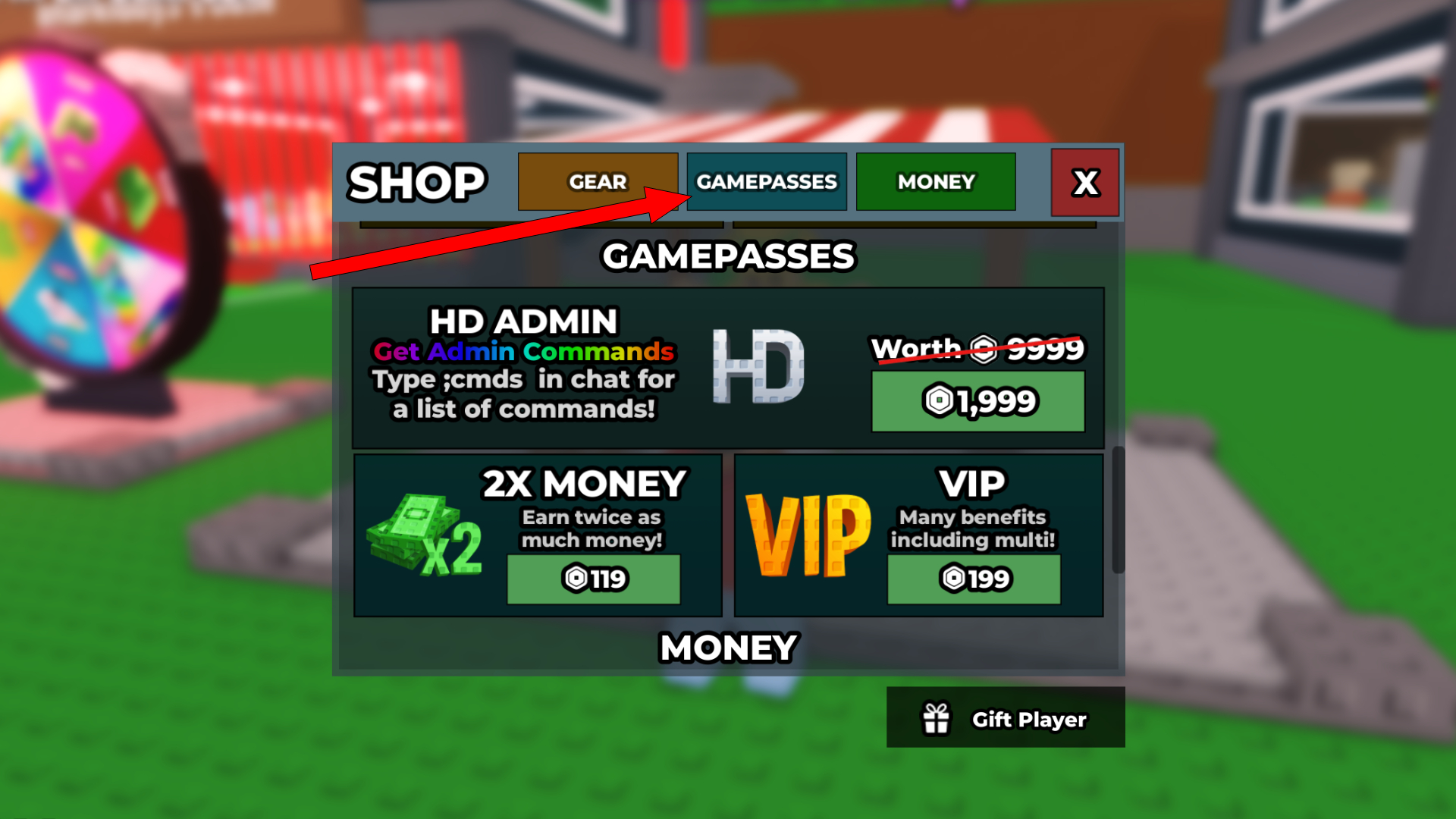
A Roblox Gamepass is a special, one-time purchase within a Roblox experience that grants a player permanent access to an exclusive feature, item, or ability. Think of it like a VIP ticket to an area, a special tool, a unique cosmetic, or a powerful in-game buff that lasts forever once bought. Unlike Developer Products, which are typically for consumable items like in-game currency packs or temporary boosts, Gamepasses provide a lasting benefit, making them highly desirable for players seeking persistent advantages or unique content within your game. They are a cornerstone of Roblox's monetization system, allowing creators to add premium content to their games.
Gamepasses are often displayed prominently on your game's detail page or within the game itself, making them easily discoverable by interested players. When a player purchases a Gamepass, the Roblox system handles the transaction securely, deducting Robux from the player's account and crediting the creator after a processing period. For a game developer, Gamepasses represent a direct way to monetize their creations, providing a clear value proposition to players. From exclusive character skins to access to a secret base, the possibilities are vast, limited only by your imagination and coding ability to implement the associated in-game effects.
Why Should I Bother Making Gamepasses for My Roblox Game?
Creating Gamepasses for your Roblox game offers a multitude of benefits, both for you as a developer and for your player community. First and foremost, they provide a direct and effective way to monetize your creative efforts. Earning Robux from your gamepasses can help fund future development, buy new assets, or even just treat yourself to that new title you've been eyeing. For many adult gamers, this allows them to turn a hobby into a small, rewarding income stream without impacting their main job or family time.
Beyond monetization, Gamepasses significantly enhance the player experience. They offer a sense of exclusivity and achievement, allowing players to unlock unique content or abilities that differentiate their gameplay. This fosters deeper engagement and encourages players to spend more time in your world. Social gaming is huge this month, and Gamepasses can facilitate this by providing unique items for players to show off or special team bonuses. They add depth to your game's progression system, giving players more reasons to play and explore. Moreover, offering Gamepasses can help you understand what your community values most, guiding future content updates and improvements based on what players are willing to invest in. It's about building a sustainable and engaging ecosystem for your game.
What Are the Key Steps to Create a Gamepass on Roblox?
Creating a Gamepass on Roblox is a straightforward process, designed to be accessible even for those who are new to game development. Here's a breakdown of the key steps:
1. Prepare Your Game Experience
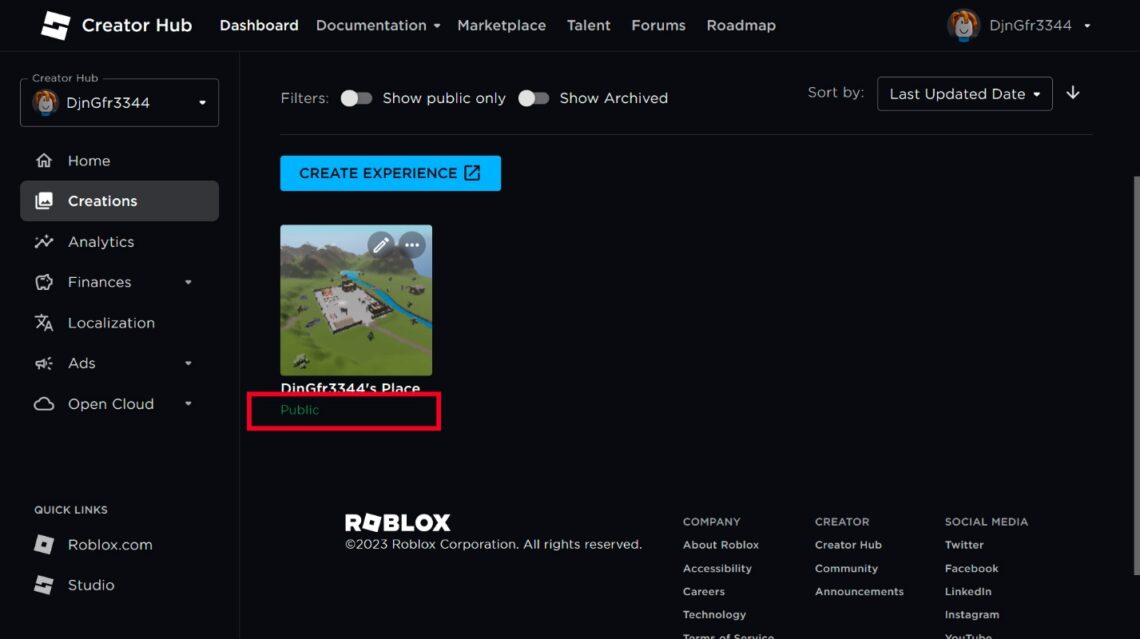
Before you can create a Gamepass, you need an active, published game experience on Roblox. If you don't have one yet, open Roblox Studio, create a new experience, and publish it to Roblox. Ensure your game is accessible to players, even if it's just a basic starting point. This foundation is crucial because Gamepasses are always tied to a specific game.
2. Upload an Asset (Optional, but Recommended)
While not strictly mandatory for creating the Gamepass itself, having an associated image or asset is highly recommended. This could be an icon representing the Gamepass or even a simple image to serve as the visual for your Gamepass on the Roblox site. You can upload images via the 'Create' section on the Roblox website under 'Decals' or directly through the Gamepass creation interface. A good visual helps players quickly understand what they're buying.
3. Navigate to the Creator Dashboard
Go to the Roblox website and log in. Navigate to the 'Create' section, which will redirect you to the Creator Dashboard. This is your central hub for managing all your experiences and associated items.
4. Select Your Experience
On the Creator Dashboard, find the specific game experience you want to create a Gamepass for. Click on it to open its dedicated management page.
5. Access Associated Items and Game Passes
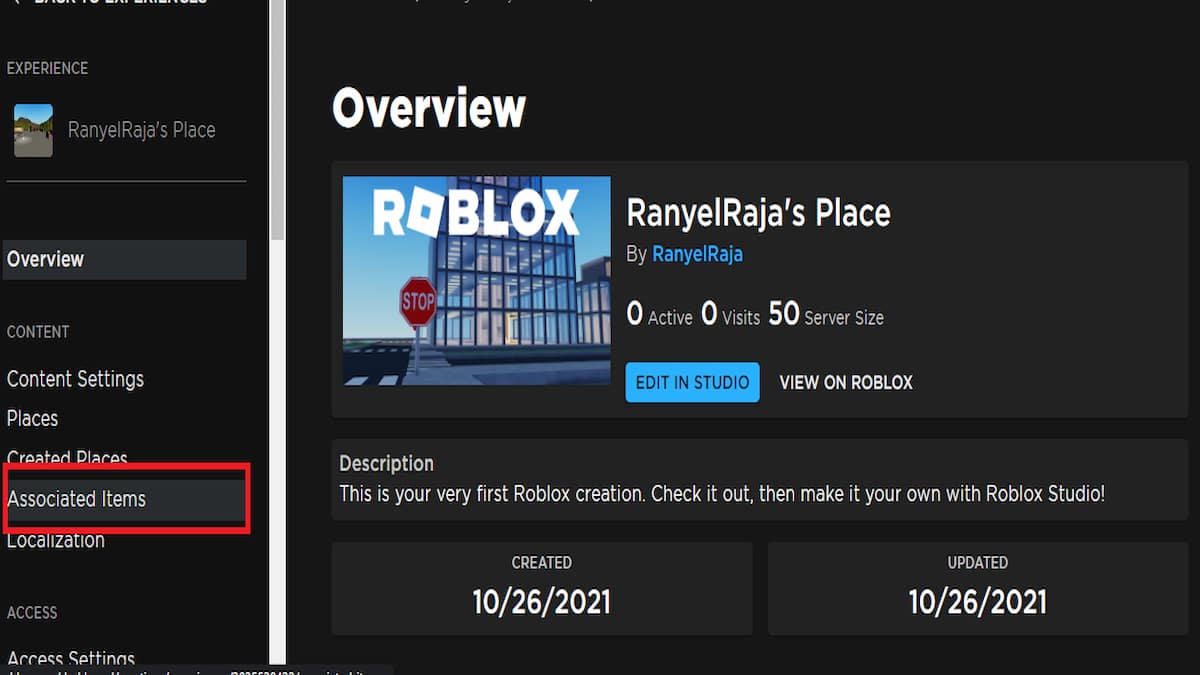
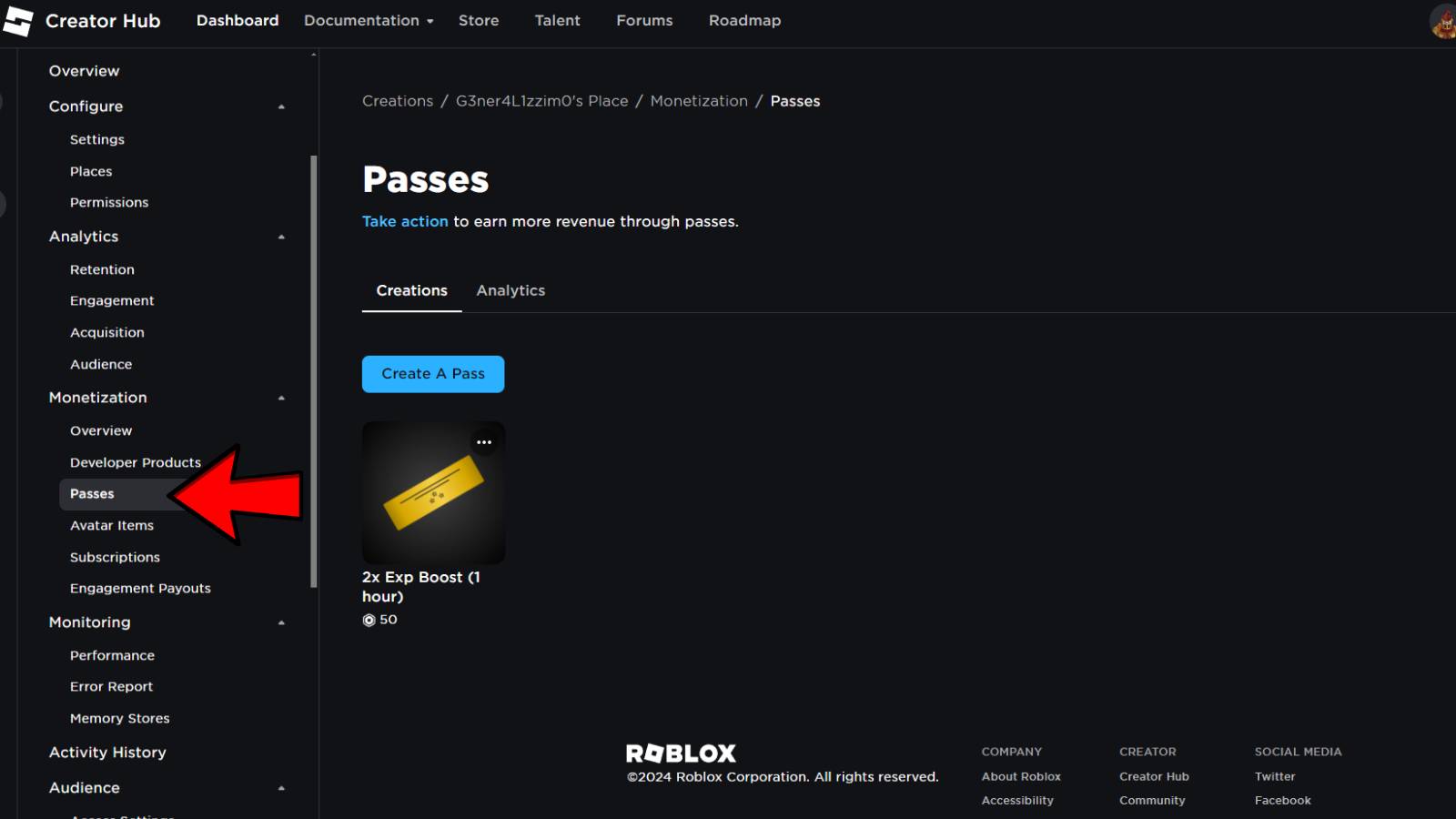
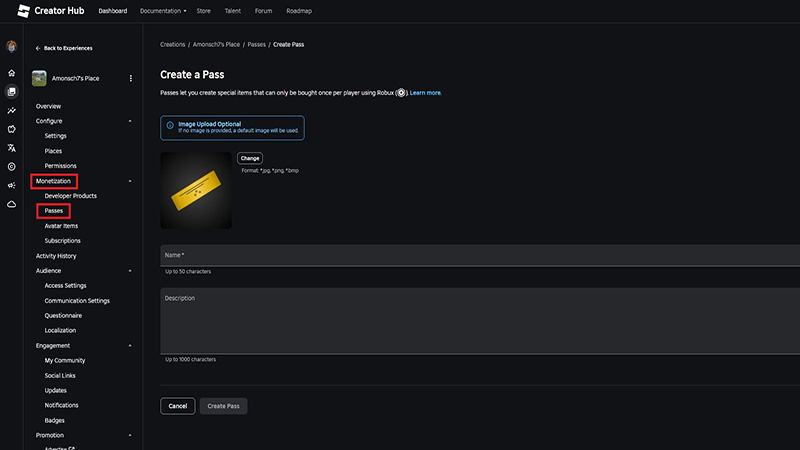
In the left-hand menu of your experience's management page, locate and click on 'Associated Items.' From there, select 'Game Passes.' This will show you any existing Gamepasses and provide the option to create a new one.
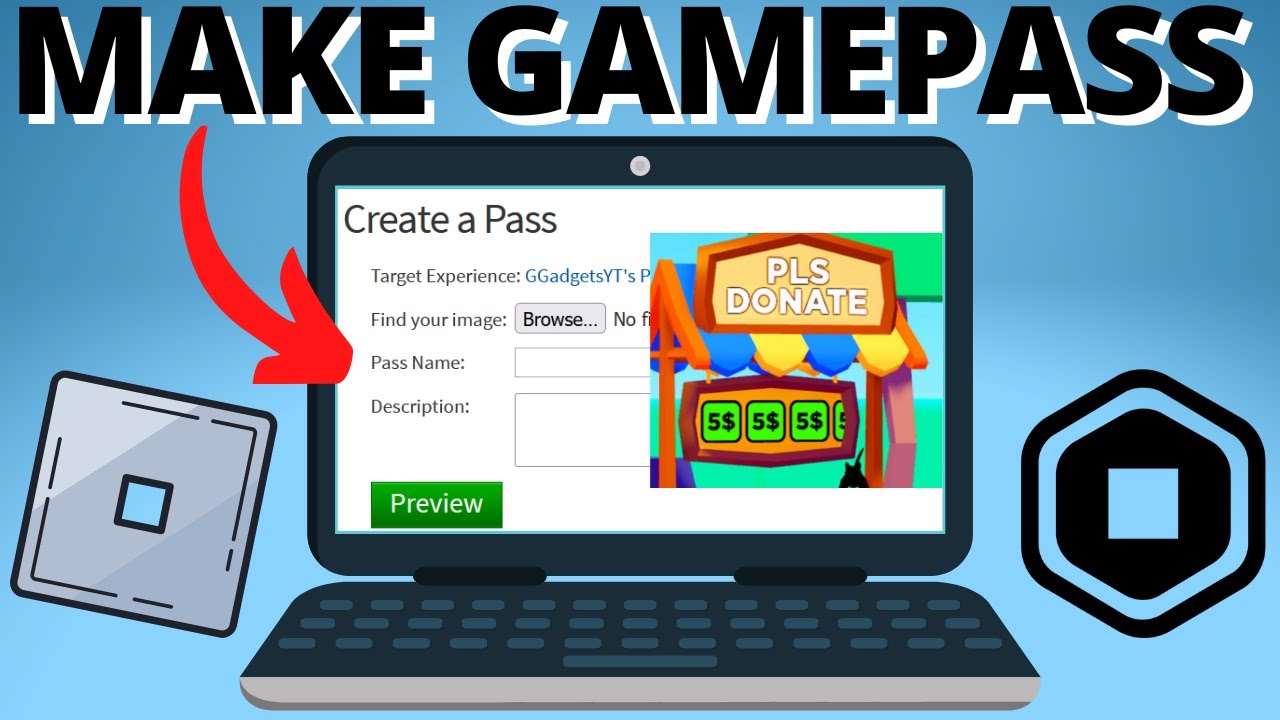
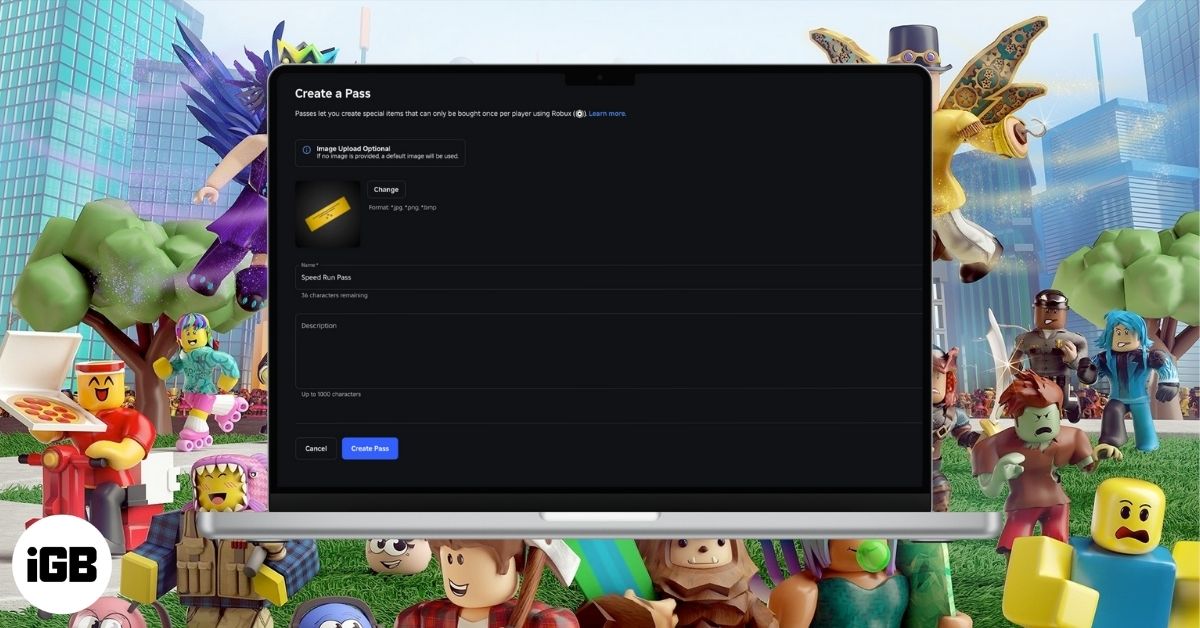
6. Create a Game Pass
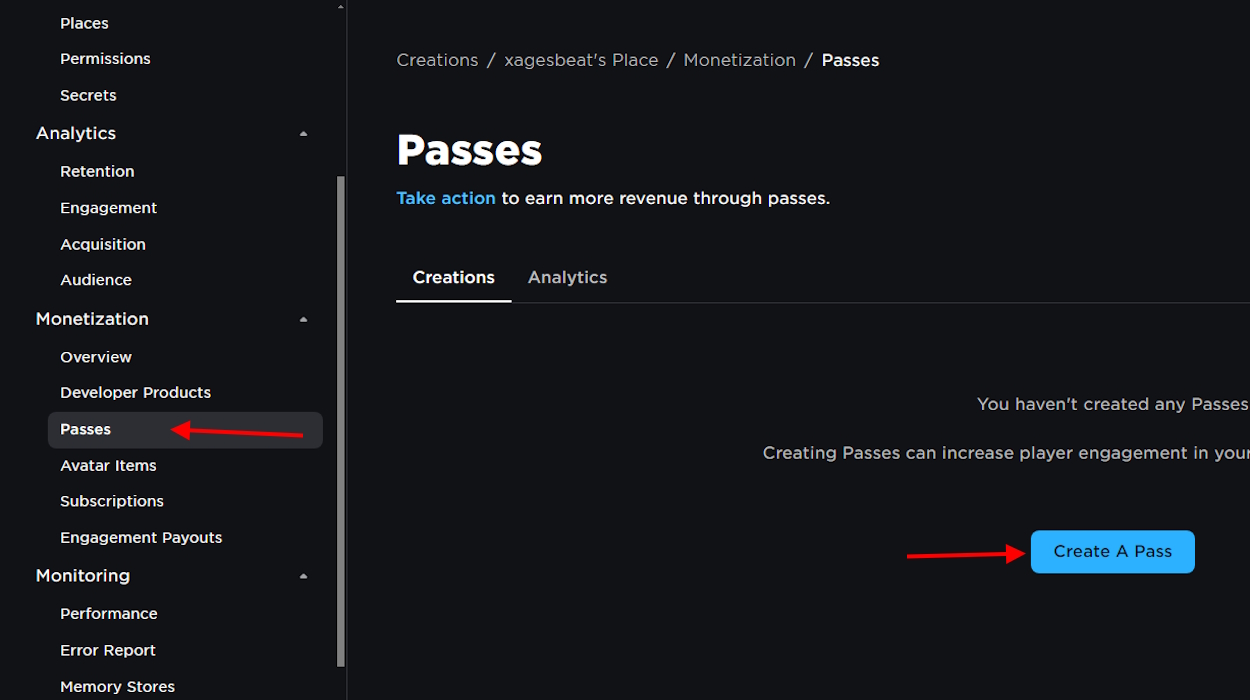
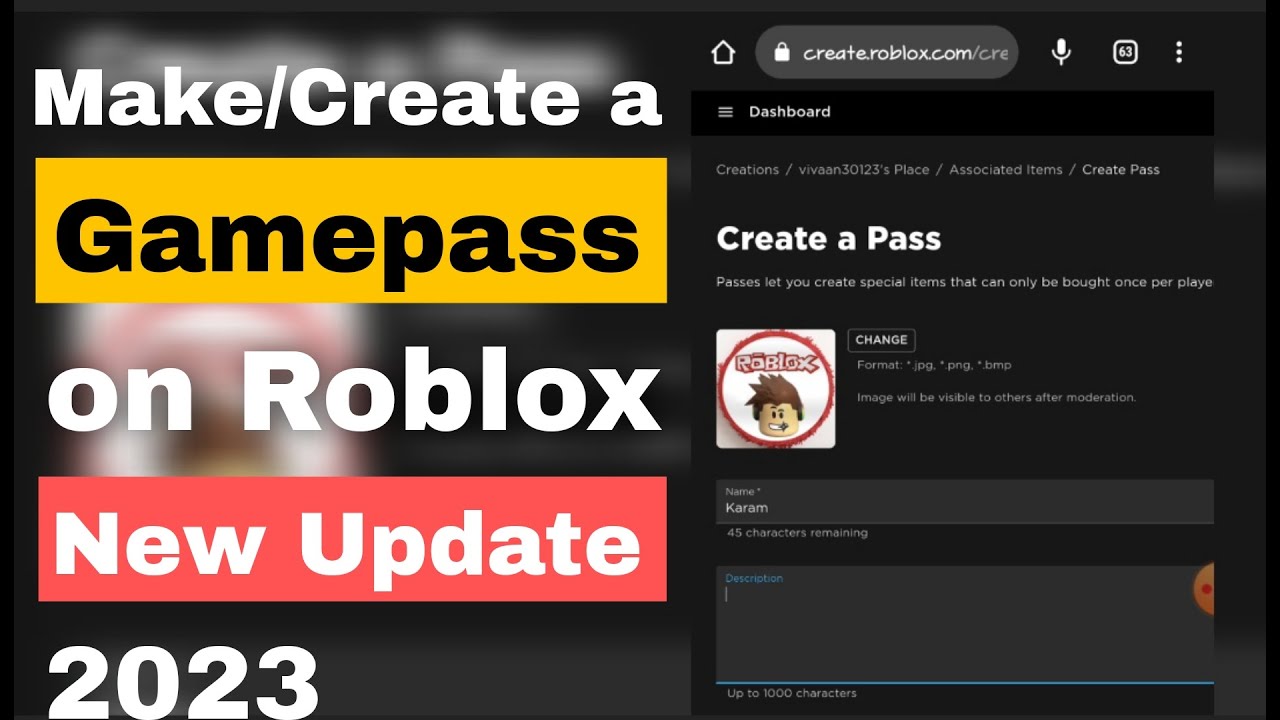
Click the 'Create a Game Pass' button. You'll be prompted to upload an image (this is where that prepared asset comes in handy), give your Gamepass a descriptive name (e.g., 'VIP Access,' 'Mega Jump Power'), and write a compelling description explaining its benefits. Be clear and concise about what players will gain.
7. Configure the Gamepass for Sale
After creation, your Gamepass will appear in your list. Click on the newly created Gamepass to configure it further. In the left-hand menu, select 'Sales.' Toggle the 'Item for Sale' option to ON. Here, you will set the price in Robux. Remember that Roblox takes a 30% commission, so factor that into your pricing strategy. Once you've set the price, click 'Save Changes.'
8. Implement In-Game Functionality
Creating the Gamepass on the website is only half the battle. You now need to open your game in Roblox Studio and write scripts that detect when a player owns the Gamepass and then grant the corresponding in-game benefit. This usually involves using a service like 'MarketplaceService' and checking 'player:HasGamePass(GamePassID)'. Without this scripting, the Gamepass is just an icon with no in-game effect.
How Do I Set an Effective Price for My Gamepass?
Setting the right price for your Gamepass is crucial for its success. It's a balance between perceived value for the player and reasonable earnings for you. Firstly, always remember Roblox's 30% commission. If you set a Gamepass for 100 Robux, you'll receive 70 Robux. Factor this into your desired profit margin. Many new creators forget this, leading to lower-than-expected returns.
Consider what your Gamepass offers. Is it purely cosmetic? Does it grant a significant advantage? Is it time-saving? Players are generally willing to pay more for benefits that directly enhance their gameplay, provide a competitive edge, or offer exclusive access. Look at similar games and their Gamepass pricing. Are there established norms in your game's genre? Avoid overpricing, as this can deter potential buyers and lead to negative reviews. Conversely, underpricing can undervalue your efforts and leave money on the table. Sometimes, offering different tiers, like a 'Basic VIP' and a 'Premium VIP,' can cater to a broader audience and generate more sales. Testing is key; start with a price, gather feedback, and be prepared to adjust it if sales are stagnant or overwhelmingly high, indicating you might have room to increase. The goal is to find that sweet spot where players feel they're getting a good deal and you're being fairly compensated for your creativity.
How Can I Promote My Gamepasses to Attract Players?
Once your Gamepasses are created and functional, promotion is essential to attract buyers. Don't expect players to stumble upon them naturally. Here are some effective strategies:
In-Game Prompts: This is arguably the most effective method. Place visual cues, NPCs, or UI elements within your game that advertise your Gamepasses. For example, a 'VIP Area' sign near a locked door, or a prompt for a 'Speed Boost Gamepass' when a player is moving slowly. Make the benefits clear and tantalizing.
Game Description: Clearly list and describe your Gamepasses in your game's official description on the Roblox website. Highlight the best features and why they're worth the Robux.
Social Media and Community: Share updates about your Gamepasses on platforms like Discord, Twitter, or TikTok. Many US gamers, especially Gen Z and Millennials, are active on these platforms. Showcase what the Gamepass does through short video clips or screenshots. Engage with your community and ask them what kind of Gamepasses they'd like to see.
Roblox Groups and Forums: If you have a dedicated Roblox group for your game, announce new Gamepasses there. Participate in relevant Roblox developer forums to subtly promote your work and get feedback.
YouTubers and Streamers: If your game gains traction, consider reaching out to smaller Roblox YouTubers or streamers. They might feature your game and Gamepasses, exposing them to a wider audience. This can be a very powerful form of organic marketing.
Updates and Bundles: Periodically update your Gamepasses with new features or offer limited-time bundles. This creates urgency and gives existing players a reason to revisit your offerings.
Remember, a Gamepass that offers clear value and is well-advertised will always perform better than one hidden away. Focus on showcasing the benefits and how it enhances the player's overall experience.
What Are Some Common Mistakes to Avoid When Making Gamepasses?
Even seasoned developers can make mistakes when it comes to Gamepasses. Avoiding these common pitfalls can save you time, frustration, and potential lost earnings:
Overpricing or Underpricing: As discussed, finding the right price is key. Overpriced Gamepasses won't sell, while underpriced ones leave money on the table. Research similar offerings and consider player feedback.
Unclear Benefits: If players don't immediately understand what a Gamepass does or why they need it, they won't buy it. Use clear names, detailed descriptions, and effective in-game visuals to communicate its value.
Broken or Non-Functional Gamepasses: This is a major trust breaker. Always thoroughly test your Gamepass's in-game functionality before promoting it heavily. Nothing turns players away faster than a purchased item that doesn't work.
Learn how to create Roblox Gamepasses step-by-step, understand pricing and Robux commissions, discover best practices for promoting Gamepasses, troubleshoot common creation issues, and leverage Gamepasses to enhance your game's monetization and player experience effectively. This guide covers everything from initial setup to advanced promotion strategies, ensuring you can monetize your Roblox creations successfully and efficiently, making the most of your valuable time.
35#1 Gallery how to make roblox gamepasses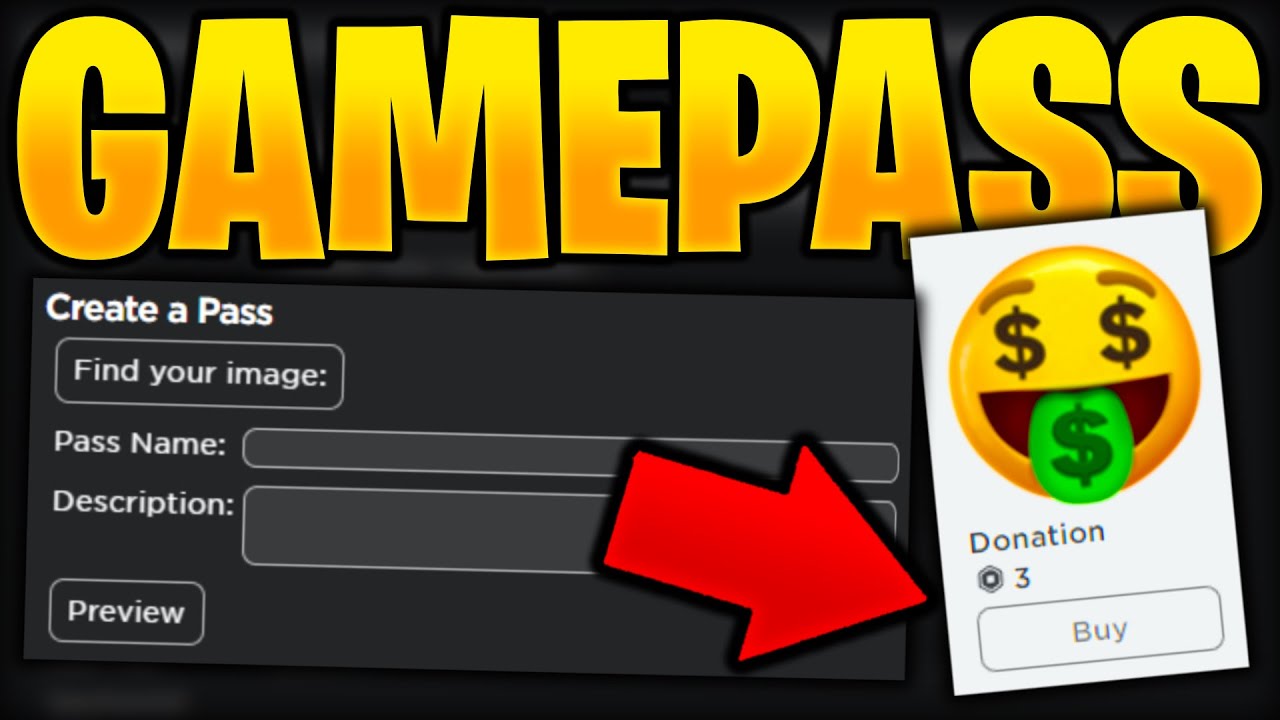


How To Make GAMEPASSES On Roblox EASY YouTube . How To Make Gamepasses On Roblox Pro Game Guides Roblox Making Gamepass 2 . How To Make A Game Pass On Roblox Step By Step Guide ONE Esports Roblox Step4 GoToPasses . Roblox Tutorial How To Make And Use Gamepasses YouTube . How To Create A GAMEPASS On Roblox FULL GUIDE 2026 YouTube
#2 Gallery how to make roblox gamepasses



How To Make Gamepasses Pls Donate In Roblox Create Roblox Gamepass . Esports World Cup 2025 PUBG Mobile World Cup Guide All Details Copy Of WWE 2K25 . How To Make A Game Pass In Roblox Guide Beebom Passes Option To Create A Pass . Want To Make A Game Pass Roblox How Does It Work . How To Make Gamepasses In Roblox 2026 YouTube
#3 Gallery how to make roblox gamepasses

Gamepass Roblox Fungsi Harga Dan Daftar Terbaru Hq720 7 1024x573 . PLS Donate Roblox Gamepass Link H Ng D N To N T P V C Ch T O . How To Make Gamepasses On Roblox Pro Game Guides Roblox Making Gamepass 3 . Steal A Brainrot All Gear And Game Passes Deltia S Gaming Gamepasses Tab Image Via Roblox Corporation . How To Make A Game Pass On Roblox Step By Step Guide IGeeksBlog How To Make A Game Pass On Roblox
#4 Gallery how to make roblox gamepasses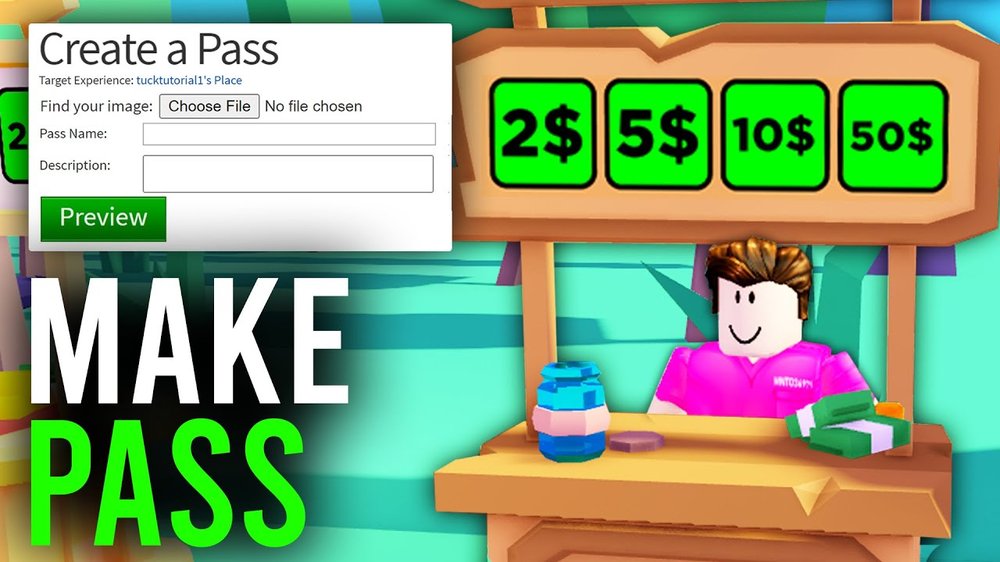


How To Make A Gamepass On Roblox 2021 How To Create Your Gamepass In . How To Make Gamepasses In Roblox Image. How To Make A Gamepass On Roblox 2021 . Removing Your Roblox Game Pass . How To Make Gamepasses In Pls Donate Roblox 2023 Add Gamepass To Pls
#5 Gallery how to make roblox gamepasses


How To Make A Gamepass On Roblox 2021 Hq720 . How To Make A Game Pass On Roblox A Beginner S Guide Make A Gamepass On Roblox Step 20 . How To Create Game Pass In Roblox 2024 Make Game Passes To Earn Robux . How To Make A Gamepass On Roblox PC Mobile PLS Donate 507915cd Cfc4 4fa5 8f1e Webp.webp. How To Create Roblox GamePass A Quick And Easy Guide With 6 Simple How To Create Roblox Gamepass
#6 Gallery how to make roblox gamepasses

How To Make Gamepass In Roblox Updated Full Guide YouTube . Game Pass Goldmine Making Roblox Game Passes . How To Make A Game Pass In Roblox Easy Game Pass Creation 2026 YouTube . How To Make A Gamepass On Roblox Make VIP Badges And More Roblox Gamepass Create A Pass . Gamepass In Roblox How To Create It In 2026 Word Image 332981 5 1140x639
#7 Gallery how to make roblox gamepasses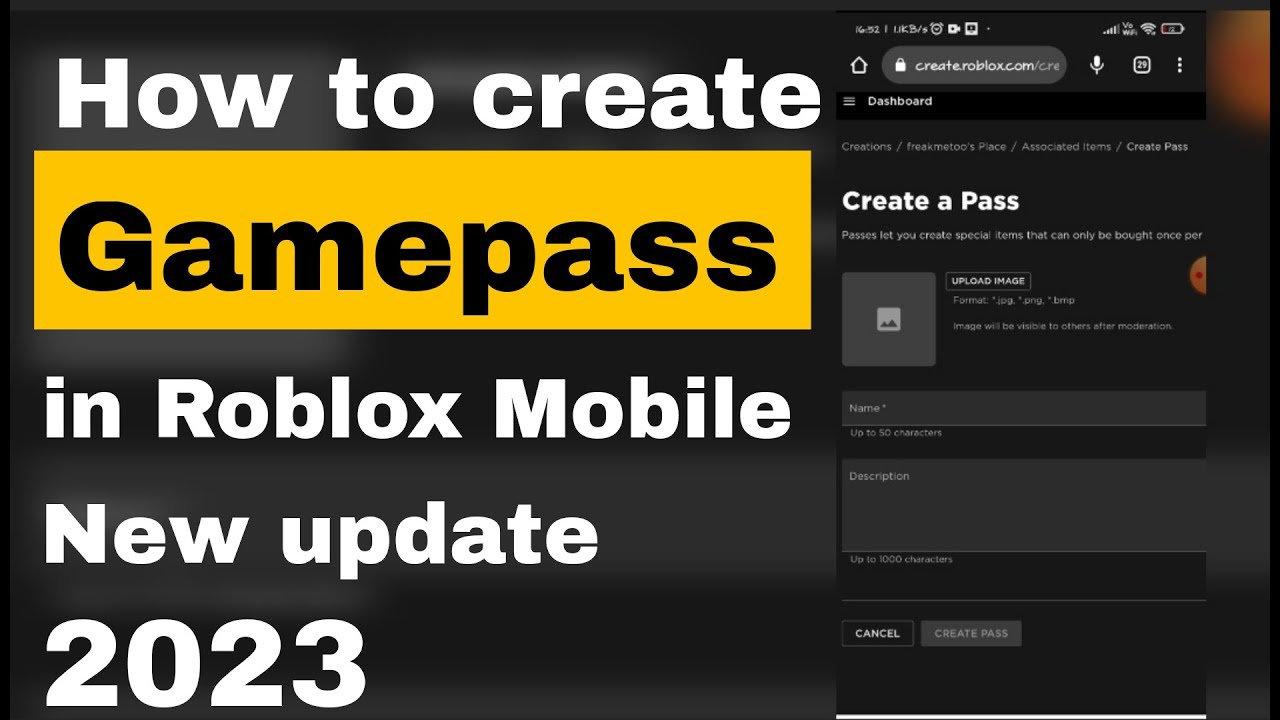


How To Create Gamepasses In Roblox Mobile After New Update 2023 YouTube . How To Make GAMEPASSES Roblox YouTube . How To Make Gamepasses On Roblox Mobile YouTube . Easiest Way To Make Game Pass In Roblox Pls Donate How To Make . How To Make A Gamepass On Roblox 2022